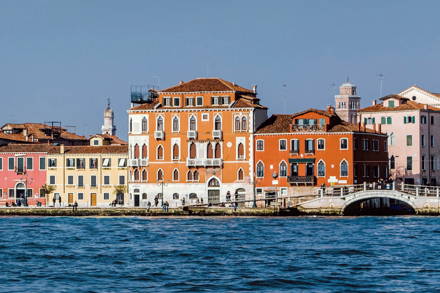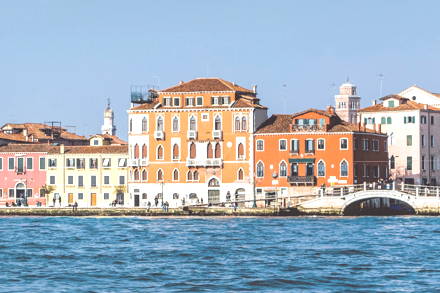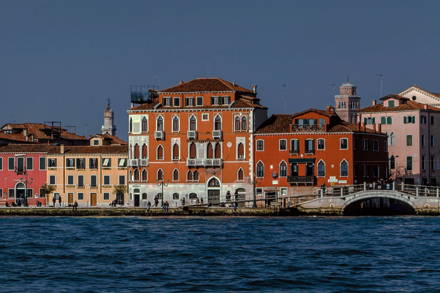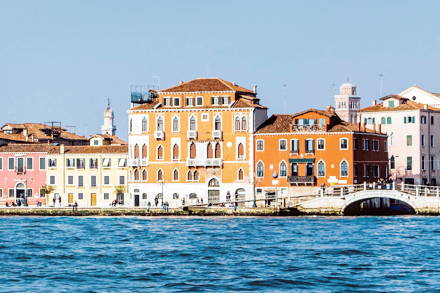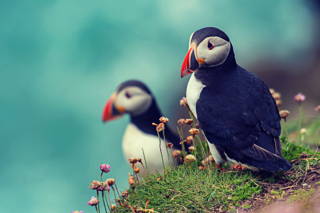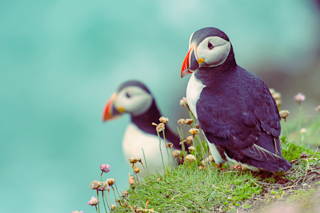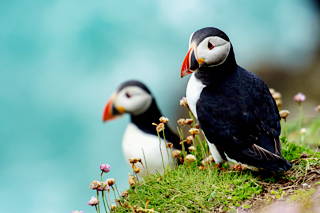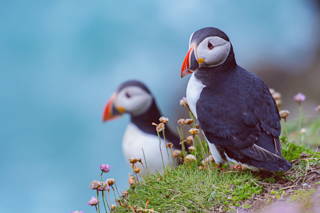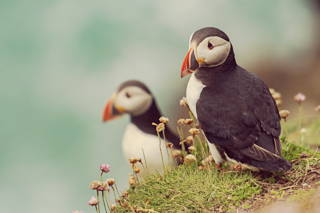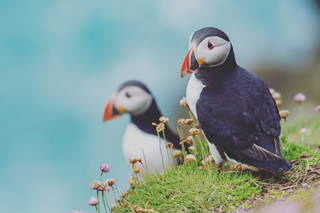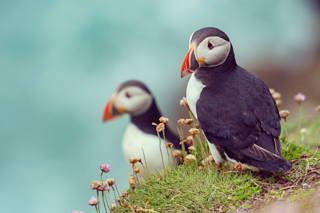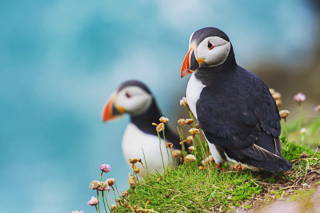
> For clean Markdown of any page, append .md to the page URL.
> For a complete documentation index, see https://uploadcare.com/docs/llms.txt.
> For AI client integration (Claude Code, Cursor, etc.), connect to the MCP server at https://uploadcare.com/docs/_mcp/server.

# Effects and enhancements

> Enhance and transform images in real time with Uploadcare’s CDN. Apply effects, filters, and adjustments through simple URL-based operations.

Image effects and enhancements are a great way to programmatically alter the
way images appear on your website or in the app.

This can range from the most basic of edits, such as adjusting brightness or
contrast and adding photo filters, to more advanced techniques, including
blurring detected faces and correcting CMYK inconsistencies by converting
images to sRGB.

## Color adjustment \[#image-colors-operations]

`-/brightness/:value/`\

`-/exposure/:value/`\

`-/gamma/:value/`\

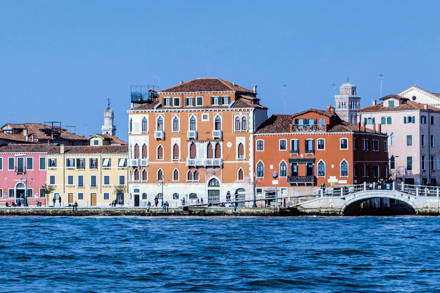
`-/contrast/:value/`\

`-/saturation/:value/`\

`-/vibrance/:value/`\

`-/warmth/:value/`

Uploadcare features a set of operations for adjusting color properties of an image.

The `:value` parameter controls the strength of any applied adjustment.
Ranges of the `:value` parameter differ between operations.
There also is a zero point for each operation:
the value producing outputs equal to original images.

| Operation      | `:value` range   | Zero point |
| -------------- | ---------------- | ---------- |
| `/brightness/` | from -100 to 100 | 0          |
| `/exposure/`   | from -500 to 500 | 0          |
| `/gamma/`      | from 0 to 1000   | 100        |
| `/contrast/`   | from -100 to 500 | 0          |
| `/saturation/` | from -100 to 500 | 0          |
| `/vibrance/`   | from -100 to 500 | 0          |
| `/warmth/`     | from -100 to 100 | 0          |

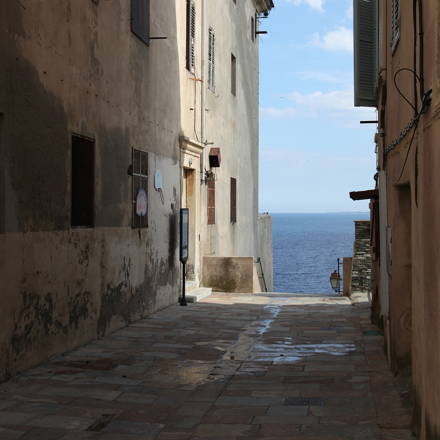
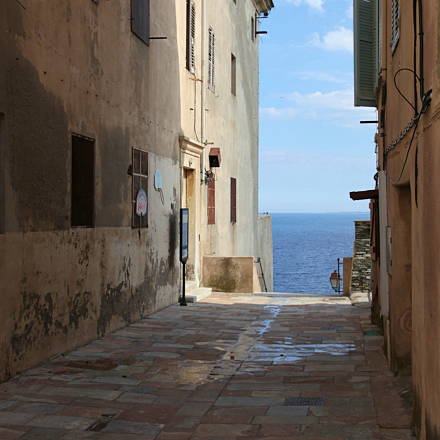
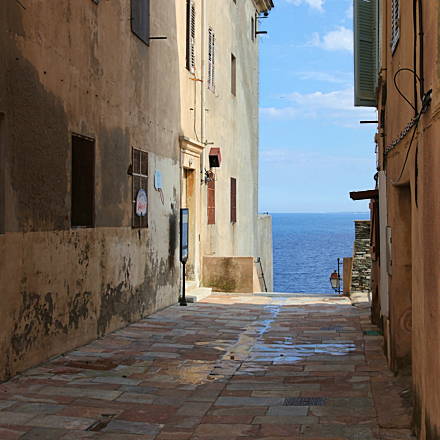
The first three operations: `brightness`, `exposure`, and `gamma`
are very similar.
Unlike `exposure` and `gamma`, `brightness` works in a straightforward manner:
the `:value` gets added to each color channel; out-of-range values are cut.
Thus, when increasing brightness, brighter image features can be lost.
Same works for darker features on brightness decrease.
Conversely, `exposure` and `gamma` compress color values distribution
in either lighter or darker areas depending on the provided `:value`,
thus preserving details.

<table>
  <tr>
    <td>
      [![Reduced brightness](https://ucarecdn.com/34c53ede-194d-457c-ae68-9cf6da7f81af/-/quality/lighter/-/preview/440x440/-/brightness/-20/)](https://ucarecdn.com/34c53ede-194d-457c-ae68-9cf6da7f81af/-/preview/-/brightness/-20/)

      \


      `-/brightness/-20/`
    </td>

    <td>
      [![Original image](https://ucarecdn.com/34c53ede-194d-457c-ae68-9cf6da7f81af/-/quality/lighter/-/preview/440x440/)](https://ucarecdn.com/34c53ede-194d-457c-ae68-9cf6da7f81af/-/preview/)

      \


      Original image
    </td>

    <td>
      [![Increased brightness](https://ucarecdn.com/34c53ede-194d-457c-ae68-9cf6da7f81af/-/quality/lighter/-/preview/440x440/-/brightness/20/)](https://ucarecdn.com/34c53ede-194d-457c-ae68-9cf6da7f81af/-/preview/-/brightness/20/)

      \


      `-/brightness/20/`
    </td>
  </tr>
</table>

<table>
  <tr>
    <td>
      [![Reduced exposure](https://ucarecdn.com/34c53ede-194d-457c-ae68-9cf6da7f81af/-/quality/lighter/-/preview/440x440/-/exposure/-100/)](https://ucarecdn.com/34c53ede-194d-457c-ae68-9cf6da7f81af/-/preview/-/exposure/-100/)

      \


      `-/exposure/-100/`
    </td>

    <td>
      [![Original image](https://ucarecdn.com/34c53ede-194d-457c-ae68-9cf6da7f81af/-/quality/lighter/-/preview/440x440/)](https://ucarecdn.com/34c53ede-194d-457c-ae68-9cf6da7f81af/-/preview/)

      \


      Original image
    </td>

    <td>
      [![Increased exposure](https://ucarecdn.com/34c53ede-194d-457c-ae68-9cf6da7f81af/-/quality/lighter/-/preview/440x440/-/exposure/80/)](https://ucarecdn.com/34c53ede-194d-457c-ae68-9cf6da7f81af/-/preview/-/exposure/80/)

      \


      `-/exposure/80/`
    </td>
  </tr>
</table>

<table>
  <tr>
    <td>
      [![Reduced gamma](https://ucarecdn.com/34c53ede-194d-457c-ae68-9cf6da7f81af/-/quality/lighter/-/preview/440x440/-/gamma/150/)](https://ucarecdn.com/34c53ede-194d-457c-ae68-9cf6da7f81af/-/preview/-/gamma/150/)

      \


      `-/gamma/150/`
    </td>

    <td>
      [![Original image](https://ucarecdn.com/34c53ede-194d-457c-ae68-9cf6da7f81af/-/quality/lighter/-/preview/440x440/)](https://ucarecdn.com/34c53ede-194d-457c-ae68-9cf6da7f81af/-/preview/)

      \


      Original image
    </td>

    <td>
      [![Increased gamma](https://ucarecdn.com/34c53ede-194d-457c-ae68-9cf6da7f81af/-/quality/lighter/-/preview/440x440/-/gamma/70/)](https://ucarecdn.com/34c53ede-194d-457c-ae68-9cf6da7f81af/-/preview/-/gamma/70/)

      \


      `-/gamma/70/`
    </td>
  </tr>
</table>

The next three operations adjust color diversity and dynamic range in images:

* `contrast` affects both colors and dynamic range;
  on increase, images lose both bright and dark details.
* `saturation` uniformly bumps up color intensity leaving
  the dynamic range unchanged.
* `vibrance` cleverly increases the intensity
  of muted colors and leaves the well-saturated ones alone.
  The operation produces more realistic results when applied to typical photos.

<table>
  <tr>
    <td>
      [![Reduced contrast](https://ucarecdn.com/34c53ede-194d-457c-ae68-9cf6da7f81af/-/quality/lighter/-/preview/440x440/-/contrast/-25/)](https://ucarecdn.com/34c53ede-194d-457c-ae68-9cf6da7f81af/-/preview/-/contrast/-25/)

      \


      `-/contrast/-25/`
    </td>

    <td>
      [![Original image](https://ucarecdn.com/34c53ede-194d-457c-ae68-9cf6da7f81af/-/quality/lighter/-/preview/440x440/)](https://ucarecdn.com/34c53ede-194d-457c-ae68-9cf6da7f81af/-/preview/)

      \


      Original image
    </td>

    <td>
      [![Increased contrast](https://ucarecdn.com/34c53ede-194d-457c-ae68-9cf6da7f81af/-/quality/lighter/-/preview/440x440/-/contrast/25/)](https://ucarecdn.com/34c53ede-194d-457c-ae68-9cf6da7f81af/-/preview/-/contrast/25/)

      \


      `-/contrast/25/`
    </td>
  </tr>
</table>

<table>
  <tr>
    <td>
      [![Reduced saturation](https://ucarecdn.com/34c53ede-194d-457c-ae68-9cf6da7f81af/-/quality/lighter/-/preview/440x440/-/saturation/-25/)](https://ucarecdn.com/34c53ede-194d-457c-ae68-9cf6da7f81af/-/preview/-/saturation/-25/)

      \


      `-/saturation/-25/`
    </td>

    <td>
      [![Original image](https://ucarecdn.com/34c53ede-194d-457c-ae68-9cf6da7f81af/-/quality/lighter/-/preview/440x440/)](https://ucarecdn.com/34c53ede-194d-457c-ae68-9cf6da7f81af/-/preview/)

      \


      Original image
    </td>

    <td>
      [![Increased contrast](https://ucarecdn.com/34c53ede-194d-457c-ae68-9cf6da7f81af/-/quality/lighter/-/preview/440x440/-/saturation/25/)](https://ucarecdn.com/34c53ede-194d-457c-ae68-9cf6da7f81af/-/preview/-/saturation/25/)

      \


      `-/saturation/25/`
    </td>
  </tr>
</table>

<table>
  <tr>
    <td>
      [![Reduced vibrance](https://ucarecdn.com/34c53ede-194d-457c-ae68-9cf6da7f81af/-/quality/lighter/-/preview/440x440/-/vibrance/-50/)](https://ucarecdn.com/34c53ede-194d-457c-ae68-9cf6da7f81af/-/preview/-/vibrance/-50/)

      \


      `-/vibrance/-50/`
    </td>

    <td>
      [![Original image](https://ucarecdn.com/34c53ede-194d-457c-ae68-9cf6da7f81af/-/quality/lighter/-/preview/440x440/)](https://ucarecdn.com/34c53ede-194d-457c-ae68-9cf6da7f81af/-/preview/)

      \


      Original image
    </td>

    <td>
      [![Increased vibrance](https://ucarecdn.com/34c53ede-194d-457c-ae68-9cf6da7f81af/-/quality/lighter/-/preview/440x440/-/vibrance/50/)](https://ucarecdn.com/34c53ede-194d-457c-ae68-9cf6da7f81af/-/preview/-/vibrance/50/)

      \


      `-/vibrance/50/`
    </td>
  </tr>
</table>

Last but not least, the `warmth` operation adjusts color temperature in images.

<table>
  <tr>
    <td>
      [![Reduced warmth](https://ucarecdn.com/34c53ede-194d-457c-ae68-9cf6da7f81af/-/quality/lighter/-/preview/440x440/-/warmth/-50/)](https://ucarecdn.com/34c53ede-194d-457c-ae68-9cf6da7f81af/-/preview/-/warmth/-50/)

      \


      `-/warmth/-50/`
    </td>

    <td>
      [![Original image](https://ucarecdn.com/34c53ede-194d-457c-ae68-9cf6da7f81af/-/quality/lighter/-/preview/440x440/)](https://ucarecdn.com/34c53ede-194d-457c-ae68-9cf6da7f81af/-/preview/)

      \


      Original image
    </td>

    <td>
      [![Increased warmth](https://ucarecdn.com/34c53ede-194d-457c-ae68-9cf6da7f81af/-/quality/lighter/-/preview/440x440/-/warmth/50/)](https://ucarecdn.com/34c53ede-194d-457c-ae68-9cf6da7f81af/-/preview/-/warmth/50/)

      \


      `-/warmth/50/`
    </td>
  </tr>
</table>

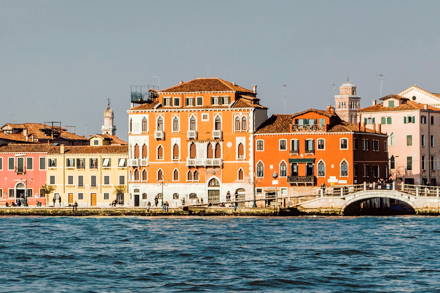
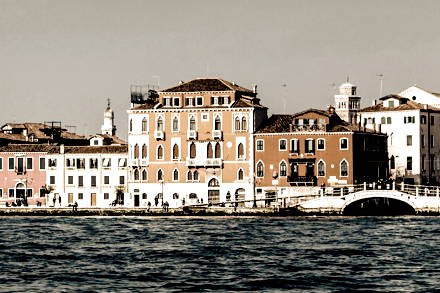
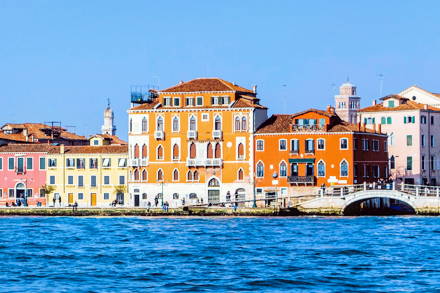
You can combine any adjustments to achieve the needed outputs.
Piping the operations won't get you any performance or precision losses
since all adjustments are applied in one pass.

<table>
  <tr>
    <td>
      [![Original image](https://ucarecdn.com/34c53ede-194d-457c-ae68-9cf6da7f81af/-/quality/lighter/-/preview/440x440/)](https://ucarecdn.com/34c53ede-194d-457c-ae68-9cf6da7f81af/-/preview/)

      \


      Original image
    </td>

    <td>
      [![Reduced saturation, increased contrast, and warmth](https://ucarecdn.com/34c53ede-194d-457c-ae68-9cf6da7f81af/-/quality/lighter/-/preview/440x440/-/saturation/-80/-/contrast/80/-/warmth/50/)](https://ucarecdn.com/34c53ede-194d-457c-ae68-9cf6da7f81af/-/preview/-/saturation/-80/-/contrast/80/-/warmth/50/)

      \


      Old photo effect\

      `-/saturation/-80/`\

      `-/contrast/80/`\

      `-/warmth/50/`
    </td>

    <td>
      [![Increased exposure, saturation, and reduced warmth](https://ucarecdn.com/34c53ede-194d-457c-ae68-9cf6da7f81af/-/quality/lighter/-/preview/440x440/-/exposure/50/-/saturation/50/-/warmth/-30/)](https://ucarecdn.com/34c53ede-194d-457c-ae68-9cf6da7f81af/-/preview/-/exposure/50/-/saturation/50/-/warmth/-30/)

      \


      Fresh view\

      `-/exposure/50/`\

      `-/saturation/50/`\

      `-/warmth/-30/`
    </td>
  </tr>
</table>

## Enhance colors \[#operation-enhance]

`-/enhance/`\

`-/enhance/:strength/`

Auto-enhances an image by performing the following operations: auto levels, auto
contrast, and saturation sharpening. `:strength` values should be in the range
from 0 to 100. The default value is 50.

<table>
  <tr>
    <td>
      [![Original image](https://ucarecdn.com/153d750a-049f-44dc-8372-853f49320bad/-/resize/440x/-/quality/lighter/)](https://ucarecdn.com/153d750a-049f-44dc-8372-853f49320bad/-/preview/)

      \


      Original image 24Kb
    </td>

    <td>
      [![Enhanced image](https://ucarecdn.com/153d750a-049f-44dc-8372-853f49320bad/-/resize/440x/-/quality/lighter/-/enhance/50/)](https://ucarecdn.com/153d750a-049f-44dc-8372-853f49320bad/-/preview/-/enhance/50/)

      \


      `-/enhance/50/` 28Kb
    </td>

    <td>
      [![Max enhanced image](https://ucarecdn.com/153d750a-049f-44dc-8372-853f49320bad/-/resize/440x/-/quality/lighter/-/enhance/100/)](https://ucarecdn.com/153d750a-049f-44dc-8372-853f49320bad/-/preview/-/enhance/100/)

      \


      `-/enhance/100/` 32Kb
    </td>
  </tr>
</table>

## Grayscale \[#operation-grayscale]

`-/grayscale/`

Desaturates images. The operation has no additional parameters and simply
produces a grayscale image output when applied.

<table>
  <tr>
    <td>
      [![Original image](https://ucarecdn.com/13448644-f240-4171-bad7-8e079eee491a/-/preview/440x440/-/quality/lightest/)](https://ucarecdn.com/13448644-f240-4171-bad7-8e079eee491a/-/preview/)

      \


      Original image
    </td>

    <td>
      [![Black and white image](https://ucarecdn.com/13448644-f240-4171-bad7-8e079eee491a/-/preview/440x440/-/grayscale/-/quality/lightest/)](https://ucarecdn.com/13448644-f240-4171-bad7-8e079eee491a/-/preview/-/grayscale/)

      \


      `-/grayscale/`
    </td>
  </tr>
</table>

## Invert \[#operation-invert]

`-/invert/`

Inverts images rendering a 'negative' of the input.

<table>
  <tr>
    <td>
      [![Original image](https://ucarecdn.com/13448644-f240-4171-bad7-8e079eee491a/-/preview/440x440/-/quality/lightest/)](https://ucarecdn.com/13448644-f240-4171-bad7-8e079eee491a/-/preview/)

      \


      Original image
    </td>

    <td>
      [![Inverse image](https://ucarecdn.com/13448644-f240-4171-bad7-8e079eee491a/-/preview/440x440/-/invert/-/quality/lightest/)](https://ucarecdn.com/13448644-f240-4171-bad7-8e079eee491a/-/preview/-/invert/)

      \


      `-/invert/`
    </td>
  </tr>
</table>

## Photo filters \[#image-photo-filters]

`-/filter/:name/`\

`-/filter/:name/:amount/`

Applies one of predefined photo filters by its `:name`.
The way your images look affects their engagement rates.
You apply filters thus providing beautiful images consistent
across content pieces you publish.

The `:name` should be one of the following:
`adaris`, `briaril`, `calarel`, `carris`, `cynarel`, `cyren`, `elmet`,
`elonni`, `enzana`, `erydark`, `fenralan`, `ferand`, `galen`, `gavin`,
`gethriel`, `iorill`, `iothari`, `iselva`, `jadis`, `lavra`, `misiara`,
`namala`, `nerion`, `nethari`, `pamaya`, `sarnar`, `sedis`, `sewen`,
`sorahel`, `sorlen`, `tarian`, `thellassan`, `varriel`, `varven`,
`vevera`, `virkas`, `yedis`, `yllara`, `zatvel`, `zevcen`.

`:amount` can be set in the range from -100 to 200 and defaults to 100.
The `:amount` of:

* 0 stands for no changes in the image, the output is equal to the original.
* Values in the range from 0 to 100 gradually increase filter strength;
  100 makes filters work as designed.
* Values over 100 emphasizes filter effect: the strength of applied changes.
* Any negative number would mean subtracting the difference between
  the filtered and original images from the original.
  That will produce a "negative filter" effect.

<table>
  <tr>
    <td>
      [![Filtered image](https://ucarecdn.com/2f93a9ac-414b-4cbe-aef1-0462e3bc8cd8/-/quality/lighter/-/preview/320x320/-/filter/vevera/-100/)](https://ucarecdn.com/2f93a9ac-414b-4cbe-aef1-0462e3bc8cd8/-/preview/-/filter/vevera/-100/)

      \


      `-/filter/vevera/-100/`
    </td>

    <td>
      [![Original image](https://ucarecdn.com/2f93a9ac-414b-4cbe-aef1-0462e3bc8cd8/-/quality/lighter/-/preview/320x320/)](https://ucarecdn.com/2f93a9ac-414b-4cbe-aef1-0462e3bc8cd8/-/preview/)

      \


      Original image
    </td>

    <td>
      [![Filtered image](https://ucarecdn.com/2f93a9ac-414b-4cbe-aef1-0462e3bc8cd8/-/quality/lighter/-/preview/320x320/-/filter/vevera/100/)](https://ucarecdn.com/2f93a9ac-414b-4cbe-aef1-0462e3bc8cd8/-/preview/-/filter/vevera/100/)

      \


      `-/filter/vevera/100/`
    </td>

    <td>
      [![Filtered image](https://ucarecdn.com/2f93a9ac-414b-4cbe-aef1-0462e3bc8cd8/-/quality/lighter/-/preview/320x320/-/filter/vevera/200/)](https://ucarecdn.com/2f93a9ac-414b-4cbe-aef1-0462e3bc8cd8/-/preview/-/filter/vevera/200/)

      \


      `-/filter/vevera/200/`
    </td>
  </tr>
</table>

All filters provide predictable outputs with the `:value` ranging from 0 to 100.
For some filter presets, setting the `:amount` value outside those bounds
may produce weird results.
For example, all filters producing grayscale outputs
will result in a negative image when set to the `:amount` greater than 100.
Set to negative values, those will saturate an image.

Here's how all of our filters look like:

<table>
  <tr>
    <td>
      [![Filtered image](https://ucarecdn.com/2f93a9ac-414b-4cbe-aef1-0462e3bc8cd8/-/quality/lighter/-/preview/320x320/-/filter/adaris/)](https://ucarecdn.com/2f93a9ac-414b-4cbe-aef1-0462e3bc8cd8/-/preview/-/filter/adaris/)

      \


      `-/filter/adaris/`
    </td>

    <td>
      [![Filtered image](https://ucarecdn.com/2f93a9ac-414b-4cbe-aef1-0462e3bc8cd8/-/quality/lighter/-/preview/320x320/-/filter/briaril/)](https://ucarecdn.com/2f93a9ac-414b-4cbe-aef1-0462e3bc8cd8/-/preview/-/filter/briaril/)

      \


      `-/filter/briaril/`
    </td>

    <td>
      [![Filtered image](https://ucarecdn.com/2f93a9ac-414b-4cbe-aef1-0462e3bc8cd8/-/quality/lighter/-/preview/320x320/-/filter/calarel/)](https://ucarecdn.com/2f93a9ac-414b-4cbe-aef1-0462e3bc8cd8/-/preview/-/filter/calarel/)

      \


      `-/filter/calarel/`
    </td>

    <td>
      [![Filtered image](https://ucarecdn.com/2f93a9ac-414b-4cbe-aef1-0462e3bc8cd8/-/quality/lighter/-/preview/320x320/-/filter/carris/)](https://ucarecdn.com/2f93a9ac-414b-4cbe-aef1-0462e3bc8cd8/-/preview/-/filter/carris/)

      \


      `-/filter/carris/`
    </td>
  </tr>
</table>

<table>
  <tr>
    <td>
      [![Filtered image](https://ucarecdn.com/2f93a9ac-414b-4cbe-aef1-0462e3bc8cd8/-/quality/lighter/-/preview/320x320/-/filter/cynarel/)](https://ucarecdn.com/2f93a9ac-414b-4cbe-aef1-0462e3bc8cd8/-/preview/-/filter/cynarel/)

      \


      `-/filter/cynarel/`
    </td>

    <td>
      [![Filtered image](https://ucarecdn.com/2f93a9ac-414b-4cbe-aef1-0462e3bc8cd8/-/quality/lighter/-/preview/320x320/-/filter/cyren/)](https://ucarecdn.com/2f93a9ac-414b-4cbe-aef1-0462e3bc8cd8/-/preview/-/filter/cyren/)

      \


      `-/filter/cyren/`
    </td>

    <td>
      [![Filtered image](https://ucarecdn.com/2f93a9ac-414b-4cbe-aef1-0462e3bc8cd8/-/quality/lighter/-/preview/320x320/-/filter/elmet/)](https://ucarecdn.com/2f93a9ac-414b-4cbe-aef1-0462e3bc8cd8/-/preview/-/filter/elmet/)

      \


      `-/filter/elmet/`
    </td>

    <td>
      [![Filtered image](https://ucarecdn.com/2f93a9ac-414b-4cbe-aef1-0462e3bc8cd8/-/quality/lighter/-/preview/320x320/-/filter/elonni/)](https://ucarecdn.com/2f93a9ac-414b-4cbe-aef1-0462e3bc8cd8/-/preview/-/filter/elonni/)

      \


      `-/filter/elonni/`
    </td>
  </tr>
</table>

<table>
  <tr>
    <td>
      [![Filtered image](https://ucarecdn.com/2f93a9ac-414b-4cbe-aef1-0462e3bc8cd8/-/quality/lighter/-/preview/320x320/-/filter/enzana/)](https://ucarecdn.com/2f93a9ac-414b-4cbe-aef1-0462e3bc8cd8/-/preview/-/filter/enzana/)

      \


      `-/filter/enzana/`
    </td>

    <td>
      [![Filtered image](https://ucarecdn.com/2f93a9ac-414b-4cbe-aef1-0462e3bc8cd8/-/quality/lighter/-/preview/320x320/-/filter/erydark/)](https://ucarecdn.com/2f93a9ac-414b-4cbe-aef1-0462e3bc8cd8/-/preview/-/filter/erydark/)

      \


      `-/filter/erydark/`
    </td>

    <td>
      [![Filtered image](https://ucarecdn.com/2f93a9ac-414b-4cbe-aef1-0462e3bc8cd8/-/quality/lighter/-/preview/320x320/-/filter/fenralan/)](https://ucarecdn.com/2f93a9ac-414b-4cbe-aef1-0462e3bc8cd8/-/preview/-/filter/fenralan/)

      \


      `-/filter/fenralan/`
    </td>

    <td>
      [![Filtered image](https://ucarecdn.com/2f93a9ac-414b-4cbe-aef1-0462e3bc8cd8/-/quality/lighter/-/preview/320x320/-/filter/ferand/)](https://ucarecdn.com/2f93a9ac-414b-4cbe-aef1-0462e3bc8cd8/-/preview/-/filter/ferand/)

      \


      `-/filter/ferand/`
    </td>
  </tr>
</table>

<table>
  <tr>
    <td>
      [![Filtered image](https://ucarecdn.com/2f93a9ac-414b-4cbe-aef1-0462e3bc8cd8/-/quality/lighter/-/preview/320x320/-/filter/galen/)](https://ucarecdn.com/2f93a9ac-414b-4cbe-aef1-0462e3bc8cd8/-/preview/-/filter/galen/)

      \


      `-/filter/galen/`
    </td>

    <td>
      [![Filtered image](https://ucarecdn.com/2f93a9ac-414b-4cbe-aef1-0462e3bc8cd8/-/quality/lighter/-/preview/320x320/-/filter/gavin/)](https://ucarecdn.com/2f93a9ac-414b-4cbe-aef1-0462e3bc8cd8/-/preview/-/filter/gavin/)

      \


      `-/filter/gavin/`
    </td>

    <td>
      [![Filtered image](https://ucarecdn.com/2f93a9ac-414b-4cbe-aef1-0462e3bc8cd8/-/quality/lighter/-/preview/320x320/-/filter/gethriel/)](https://ucarecdn.com/2f93a9ac-414b-4cbe-aef1-0462e3bc8cd8/-/preview/-/filter/gethriel/)

      \


      `-/filter/gethriel/`
    </td>

    <td>
      [![Filtered image](https://ucarecdn.com/2f93a9ac-414b-4cbe-aef1-0462e3bc8cd8/-/quality/lighter/-/preview/320x320/-/filter/iorill/)](https://ucarecdn.com/2f93a9ac-414b-4cbe-aef1-0462e3bc8cd8/-/preview/-/filter/iorill/)

      \


      `-/filter/iorill/`
    </td>
  </tr>
</table>

<table>
  <tr>
    <td>
      [![Filtered image](https://ucarecdn.com/2f93a9ac-414b-4cbe-aef1-0462e3bc8cd8/-/quality/lighter/-/preview/320x320/-/filter/iothari/)](https://ucarecdn.com/2f93a9ac-414b-4cbe-aef1-0462e3bc8cd8/-/preview/-/filter/iothari/)

      \


      `-/filter/iothari/`
    </td>

    <td>
      [![Filtered image](https://ucarecdn.com/2f93a9ac-414b-4cbe-aef1-0462e3bc8cd8/-/quality/lighter/-/preview/320x320/-/filter/iselva/)](https://ucarecdn.com/2f93a9ac-414b-4cbe-aef1-0462e3bc8cd8/-/preview/-/filter/iselva/)

      \


      `-/filter/iselva/`
    </td>

    <td>
      [![Filtered image](https://ucarecdn.com/2f93a9ac-414b-4cbe-aef1-0462e3bc8cd8/-/quality/lighter/-/preview/320x320/-/filter/jadis/)](https://ucarecdn.com/2f93a9ac-414b-4cbe-aef1-0462e3bc8cd8/-/preview/-/filter/jadis/)

      \


      `-/filter/jadis/`
    </td>

    <td>
      [![Filtered image](https://ucarecdn.com/2f93a9ac-414b-4cbe-aef1-0462e3bc8cd8/-/quality/lighter/-/preview/320x320/-/filter/lavra/)](https://ucarecdn.com/2f93a9ac-414b-4cbe-aef1-0462e3bc8cd8/-/preview/-/filter/lavra/)

      \


      `-/filter/lavra/`
    </td>
  </tr>
</table>

<table>
  <tr>
    <td>
      [![Filtered image](https://ucarecdn.com/2f93a9ac-414b-4cbe-aef1-0462e3bc8cd8/-/quality/lighter/-/preview/320x320/-/filter/misiara/)](https://ucarecdn.com/2f93a9ac-414b-4cbe-aef1-0462e3bc8cd8/-/preview/-/filter/misiara/)

      \


      `-/filter/misiara/`
    </td>

    <td>
      [![Filtered image](https://ucarecdn.com/2f93a9ac-414b-4cbe-aef1-0462e3bc8cd8/-/quality/lighter/-/preview/320x320/-/filter/namala/)](https://ucarecdn.com/2f93a9ac-414b-4cbe-aef1-0462e3bc8cd8/-/preview/-/filter/namala/)

      \


      `-/filter/namala/`
    </td>

    <td>
      [![Filtered image](https://ucarecdn.com/2f93a9ac-414b-4cbe-aef1-0462e3bc8cd8/-/quality/lighter/-/preview/320x320/-/filter/nerion/)](https://ucarecdn.com/2f93a9ac-414b-4cbe-aef1-0462e3bc8cd8/-/preview/-/filter/nerion/)

      \


      `-/filter/nerion/`
    </td>

    <td>
      [![Filtered image](https://ucarecdn.com/2f93a9ac-414b-4cbe-aef1-0462e3bc8cd8/-/quality/lighter/-/preview/320x320/-/filter/nethari/)](https://ucarecdn.com/2f93a9ac-414b-4cbe-aef1-0462e3bc8cd8/-/preview/-/filter/nethari/)

      \


      `-/filter/nethari/`
    </td>
  </tr>
</table>

<table>
  <tr>
    <td>
      [![Filtered image](https://ucarecdn.com/2f93a9ac-414b-4cbe-aef1-0462e3bc8cd8/-/quality/lighter/-/preview/320x320/-/filter/pamaya/)](https://ucarecdn.com/2f93a9ac-414b-4cbe-aef1-0462e3bc8cd8/-/preview/-/filter/pamaya/)

      \


      `-/filter/pamaya/`
    </td>

    <td>
      [![Filtered image](https://ucarecdn.com/2f93a9ac-414b-4cbe-aef1-0462e3bc8cd8/-/quality/lighter/-/preview/320x320/-/filter/sarnar/)](https://ucarecdn.com/2f93a9ac-414b-4cbe-aef1-0462e3bc8cd8/-/preview/-/filter/sarnar/)

      \


      `-/filter/sarnar/`
    </td>

    <td>
      [![Filtered image](https://ucarecdn.com/2f93a9ac-414b-4cbe-aef1-0462e3bc8cd8/-/quality/lighter/-/preview/320x320/-/filter/sedis/)](https://ucarecdn.com/2f93a9ac-414b-4cbe-aef1-0462e3bc8cd8/-/preview/-/filter/sedis/)

      \


      `-/filter/sedis/`
    </td>

    <td>
      [![Filtered image](https://ucarecdn.com/2f93a9ac-414b-4cbe-aef1-0462e3bc8cd8/-/quality/lighter/-/preview/320x320/-/filter/sewen/)](https://ucarecdn.com/2f93a9ac-414b-4cbe-aef1-0462e3bc8cd8/-/preview/-/filter/sewen/)

      \


      `-/filter/sewen/`
    </td>
  </tr>
</table>

<table>
  <tr>
    <td>
      [![Filtered image](https://ucarecdn.com/2f93a9ac-414b-4cbe-aef1-0462e3bc8cd8/-/quality/lighter/-/preview/320x320/-/filter/sorahel/)](https://ucarecdn.com/2f93a9ac-414b-4cbe-aef1-0462e3bc8cd8/-/preview/-/filter/sorahel/)

      \


      `-/filter/sorahel/`
    </td>

    <td>
      [![Filtered image](https://ucarecdn.com/2f93a9ac-414b-4cbe-aef1-0462e3bc8cd8/-/quality/lighter/-/preview/320x320/-/filter/sorlen/)](https://ucarecdn.com/2f93a9ac-414b-4cbe-aef1-0462e3bc8cd8/-/preview/-/filter/sorlen/)

      \


      `-/filter/sorlen/`
    </td>

    <td>
      [![Filtered image](https://ucarecdn.com/2f93a9ac-414b-4cbe-aef1-0462e3bc8cd8/-/quality/lighter/-/preview/320x320/-/filter/tarian/)](https://ucarecdn.com/2f93a9ac-414b-4cbe-aef1-0462e3bc8cd8/-/preview/-/filter/tarian/)

      \


      `-/filter/tarian/`
    </td>

    <td>
      [![Filtered image](https://ucarecdn.com/2f93a9ac-414b-4cbe-aef1-0462e3bc8cd8/-/quality/lighter/-/preview/320x320/-/filter/thellassan/)](https://ucarecdn.com/2f93a9ac-414b-4cbe-aef1-0462e3bc8cd8/-/preview/-/filter/thellassan/)

      \


      `-/filter/thellassan/`
    </td>
  </tr>
</table>

<table>
  <tr>
    <td>
      [![Filtered image](https://ucarecdn.com/2f93a9ac-414b-4cbe-aef1-0462e3bc8cd8/-/quality/lighter/-/preview/320x320/-/filter/varriel/)](https://ucarecdn.com/2f93a9ac-414b-4cbe-aef1-0462e3bc8cd8/-/preview/-/filter/varriel/)

      \


      `-/filter/varriel/`
    </td>

    <td>
      [![Filtered image](https://ucarecdn.com/2f93a9ac-414b-4cbe-aef1-0462e3bc8cd8/-/quality/lighter/-/preview/320x320/-/filter/varven/)](https://ucarecdn.com/2f93a9ac-414b-4cbe-aef1-0462e3bc8cd8/-/preview/-/filter/varven/)

      \


      `-/filter/varven/`
    </td>

    <td>
      [![Filtered image](https://ucarecdn.com/2f93a9ac-414b-4cbe-aef1-0462e3bc8cd8/-/quality/lighter/-/preview/320x320/-/filter/vevera/)](https://ucarecdn.com/2f93a9ac-414b-4cbe-aef1-0462e3bc8cd8/-/preview/-/filter/vevera/)

      \


      `-/filter/vevera/`
    </td>

    <td>
      [![Filtered image](https://ucarecdn.com/2f93a9ac-414b-4cbe-aef1-0462e3bc8cd8/-/quality/lighter/-/preview/320x320/-/filter/virkas/)](https://ucarecdn.com/2f93a9ac-414b-4cbe-aef1-0462e3bc8cd8/-/preview/-/filter/virkas/)

      \


      `-/filter/virkas/`
    </td>
  </tr>
</table>

<table>
  <tr>
    <td>
      [![Filtered image](https://ucarecdn.com/2f93a9ac-414b-4cbe-aef1-0462e3bc8cd8/-/quality/lighter/-/preview/320x320/-/filter/yedis/)](https://ucarecdn.com/2f93a9ac-414b-4cbe-aef1-0462e3bc8cd8/-/preview/-/filter/yedis/)

      \


      `-/filter/yedis/`
    </td>

    <td>
      [![Filtered image](https://ucarecdn.com/2f93a9ac-414b-4cbe-aef1-0462e3bc8cd8/-/quality/lighter/-/preview/320x320/-/filter/yllara/)](https://ucarecdn.com/2f93a9ac-414b-4cbe-aef1-0462e3bc8cd8/-/preview/-/filter/yllara/)

      \


      `-/filter/yllara/`
    </td>

    <td>
      [![Filtered image](https://ucarecdn.com/2f93a9ac-414b-4cbe-aef1-0462e3bc8cd8/-/quality/lighter/-/preview/320x320/-/filter/zatvel/)](https://ucarecdn.com/2f93a9ac-414b-4cbe-aef1-0462e3bc8cd8/-/preview/-/filter/zatvel/)

      \


      `-/filter/zatvel/`
    </td>

    <td>
      [![Filtered image](https://ucarecdn.com/2f93a9ac-414b-4cbe-aef1-0462e3bc8cd8/-/quality/lighter/-/preview/320x320/-/filter/zevcen/)](https://ucarecdn.com/2f93a9ac-414b-4cbe-aef1-0462e3bc8cd8/-/preview/-/filter/zevcen/)

      \


      `-/filter/zevcen/`
    </td>
  </tr>
</table>

## Blur \[#operation-blur]

`-/blur/`\

`-/blur/:strength/`

Blurs images by the `:strength` factor. The filtering mode is Gaussian Blur,
where `:strength` parameter sets the blur radius — effect intensity. Technically,
`:strength` controls the Gaussian Blur standard deviation multiplied by ten.
The value of `:strength` might come up to 5000, while the default value is 10.
Note, different `:strength` values do not affect the operation performance.

<table>
  <tr>
    <td>
      [![Original image](https://ucarecdn.com/9eaf4b7b-6688-43e9-a6e5-9690142d765a/-/preview/440x440/-/quality/lightest/)](https://ucarecdn.com/9eaf4b7b-6688-43e9-a6e5-9690142d765a/-/preview/)

      \


      Original image 17Kb
    </td>

    <td>
      [![Blurred image](https://ucarecdn.com/9eaf4b7b-6688-43e9-a6e5-9690142d765a/-/preview/220x220/-/blur/10/)](https://ucarecdn.com/9eaf4b7b-6688-43e9-a6e5-9690142d765a/-/preview/-/blur/10/)

      \


      `-/blur/20/` 10Kb
    </td>

    <td>
      [![Max image blur](https://ucarecdn.com/9eaf4b7b-6688-43e9-a6e5-9690142d765a/-/preview/220x220/-/blur/100/)](https://ucarecdn.com/9eaf4b7b-6688-43e9-a6e5-9690142d765a/-/preview/-/blur/100/)

      \


      `-/blur/100/` 6Kb
    </td>
  </tr>
</table>

## Blur region \[#operation-blur-region]

`-/blur_region/:two_dimensions/:two_coords/`
`-/blur_region/:two_dimensions/:two_coords/:strength/`

Blurs the specified region of the image by the `:strength` factor. The filtering mode is Gaussian Blur,
where `:strength` parameter sets the blur radius — effect intensity. Technically,
`:strength` controls the Gaussian Blur standard deviation multiplied by ten.
The value of `:strength` might come up to 5000, while the default value is determined
automatically based on the size of the region.
Note, larger `:strength` values do not affect the operation performance.

<table>
  <tr>
    <td>
      [![Original image](https://ucarecdn.com/22240276-2f06-41f8-9411-755c8ce926ed/-/preview/440x440/-/quality/lighter/)](https://ucarecdn.com/22240276-2f06-41f8-9411-755c8ce926ed/-/preview/440x440/)

      \


      Original image
    </td>

    <td>
      [![Blurred image region at coordinates](https://ucarecdn.com/22240276-2f06-41f8-9411-755c8ce926ed/-/preview/440x400/-/blur_region/130x180/220,25/-/quality/lighter/)](https://ucarecdn.com/22240276-2f06-41f8-9411-755c8ce926ed/-/preview/440x400/-/blur_region/130x180/220,25/)

      \


      `-/blur_region/130x180/220,25/`
    </td>

    <td>
      [![Smart object blur on an image](https://ucarecdn.com/22240276-2f06-41f8-9411-755c8ce926ed/-/preview/440x400/-/blur_region/30px80p/50p,10p/20/-/quality/lighter/)](https://ucarecdn.com/22240276-2f06-41f8-9411-755c8ce926ed/-/preview/440x400/-/blur_region/30px80p/50p,10p/20/)

      \


      `-/blur_region/30%x80%/50%,10%/20/`
    </td>
  </tr>
</table>

## Blur faces \[#operation-blur-region-faces]

`-/blur_region/faces/`\

`-/blur_region/faces/:strength/`

When `faces` is specified the regions are selected automatically by utilizing face detection.

<table>
  <tr>
    <td>
      [![Original image (face)](https://ucarecdn.com/1fa70a63-0172-4d2c-b2e5-030a7f550011/-/preview/440x440/-/quality/lighter/)](https://ucarecdn.com/1fa70a63-0172-4d2c-b2e5-030a7f550011/-/preview/440x440/)

      \


      Original image
    </td>

    <td>
      [![Face image blur](https://ucarecdn.com/1fa70a63-0172-4d2c-b2e5-030a7f550011/-/preview/440x440/-/blur_region/faces/-/quality/lighter/)](https://ucarecdn.com/1fa70a63-0172-4d2c-b2e5-030a7f550011/-/preview/440x440/-/blur_region/faces/)

      \


      `-/blur-region/faces/`\

      default strength
    </td>

    <td>
      [![Max face image blur](https://ucarecdn.com/1fa70a63-0172-4d2c-b2e5-030a7f550011/-/preview/440x440/-/blur_region/faces/250/-/quality/lighter/)](https://ucarecdn.com/1fa70a63-0172-4d2c-b2e5-030a7f550011/-/preview/440x440/-/blur_region/faces/250/)

      \


      `-/blur-region/faces/250/`

      \


      `stength 250`
    </td>
  </tr>
</table>

You can ["bake in"](/docs/mutability/) the applied changes and create a new file that
can no longer be reverted to its original state.

## Unsharp masking \[#operation-blur-mask]

`-/blur/:strength/:amount/`

There is no specific operation for unsharp masking. Instead, you can adjust the
`:amount` of the blur applied. `:amount` can be set in the range from –200 to
100 and defaults to 100.

Where the `:amount` of:

* 100 stands for the opaque blur image.
* 0 stands for no changes in the image, the output is equal to the original.
* Any negative number would mean subtracting the difference between the blurred
  and original images from the original. That is the unsharp masking behavior.

You can implement unsharp masking with a large blur `:strength` (100;300) and a
small negative `:amount` (–50;–10) to increase local contrast. Fine-tuned local
contrast gives a “pop” to an image and mimics the look created by camera
lenses. Local contrast enhancements let you minimize the effects of haze, lens
flare, and “dull look.”

When implemented with a small `:strength`, unsharp masking increases image
sharpness. For instance, the `/blur/10/-200/` transformation is the full
equivalent of `/sharp/20/` with the exception that [`sharp`](#operation-sharp)
operates much faster.

You can combine unsharp masking with the [`sharp`](#operation-sharp) operation
to increase both local contrast and sharpness.

<table>
  <tr>
    <td>
      [![Original image](https://ucarecdn.com/fe03fd00-1632-4afe-afce-135d043b595f/-/scale_crop/440x300/-/quality/lightest/)](https://ucarecdn.com/fe03fd00-1632-4afe-afce-135d043b595f/-/scale_crop/880x600/)

      \


      Original image16Kb
    </td>

    <td>
      [![Unsharp masking (reduce blur)](https://ucarecdn.com/fe03fd00-1632-4afe-afce-135d043b595f/-/scale_crop/440x300/-/quality/lightest/-/blur/100/-50/)](https://ucarecdn.com/fe03fd00-1632-4afe-afce-135d043b595f/-/scale_crop/880x600/-/blur/200/-50/)

      \


      `-/blur/100/-50/` 19Kb
    </td>

    <td>
      [![Unsharp masking (reduce blur)](https://ucarecdn.com/fe03fd00-1632-4afe-afce-135d043b595f/-/scale_crop/440x300/-/quality/lightest/-/blur/100/-120/)](https://ucarecdn.com/fe03fd00-1632-4afe-afce-135d043b595f/-/scale_crop/880x600/-/blur/200/-120/)

      \


      `-/blur/100/-120/` 22Kb
    </td>
  </tr>
</table>

<table>
  <tr>
    <td>
      [![Sharpen](https://ucarecdn.com/fe03fd00-1632-4afe-afce-135d043b595f/-/scale_crop/440x300/-/quality/lightest/-/sharp/20/)](https://ucarecdn.com/fe03fd00-1632-4afe-afce-135d043b595f/-/scale_crop/880x600/-/sharp/20/)

      \


      `-/sharp/20/` 20Kb
    </td>

    <td>
      [![Reduce blur](https://ucarecdn.com/fe03fd00-1632-4afe-afce-135d043b595f/-/scale_crop/440x300/-/quality/lightest/-/blur/10/-200/)](https://ucarecdn.com/fe03fd00-1632-4afe-afce-135d043b595f/-/scale_crop/880x600/-/blur/10/-200/)

      \


      `-/blur/10/-200/` 20Kb
    </td>

    <td>
      [![Sharp and blur](https://ucarecdn.com/fe03fd00-1632-4afe-afce-135d043b595f/-/scale_crop/440x300/-/quality/lightest/-/sharp/10/-/blur/90/-50/)](https://ucarecdn.com/fe03fd00-1632-4afe-afce-135d043b595f/-/scale_crop/880x600/-/sharp/10/-/blur/180/-50/)

      \


      `-/sharp/10/-/blur/90/-50/` 21Kb
    </td>
  </tr>
</table>

## Sharpen \[#operation-sharp]

`-/sharp/`\

`-/sharp/:strength/`

Sharpens an image, might be especially useful with images that were subjected to
downscaling. `:strength` can be in the range from 0 to 20 and defaults to the
value of 5.

<table>
  <tr>
    <td>
      [![Downscaled image](https://ucarecdn.com/a15a0473-5262-48c7-82e3-2fefcd14e293/-/preview/220x220/)](https://ucarecdn.com/a15a0473-5262-48c7-82e3-2fefcd14e293/-/preview/600x600/)

      \


      Downscaled image. 15Kb
    </td>

    <td>
      [![Sharpen](https://ucarecdn.com/a15a0473-5262-48c7-82e3-2fefcd14e293/-/preview/220x220/-/sharp/10/)](https://ucarecdn.com/a15a0473-5262-48c7-82e3-2fefcd14e293/-/preview/600x600/-/sharp/10/)

      \


      `-/sharp/10/` 17Kb
    </td>

    <td>
      [![Max sharpen](https://ucarecdn.com/a15a0473-5262-48c7-82e3-2fefcd14e293/-/preview/220x220/-/sharp/20/)](https://ucarecdn.com/a15a0473-5262-48c7-82e3-2fefcd14e293/-/preview/600x600/-/sharp/20/)

      \


      `-/sharp/20/` 19Kb
    </td>
  </tr>
</table>

## Color models and ICC profiles \[#image-color-profile-management]

Uploadcare has image processing operations that provide color profile management
and configure Uploadcare’s CDN behavior depending on the size of
<abbr title="International Color Consortium">ICC</abbr>
profiles embedded in images.

Digital images can be stored in different color models depending on how we use
them: whether it is displaying, printing, or something else.
The most common model for images intended for viewing is RGB, while CMYK is
widely used for printing.

While CMYK images are common, some browsers support them poorly. But more
importantly, CMYK support is inconsistent across different browsers. This means
that if you happen to serve CMYK images on your site, the colors will vary.

To eliminate the inconsistency, by default, we convert all CMYK images to sRGB.
Another drawback of rendering CMYK images on a page is the large size of CMYK
ICC profiles (those weight more than a regular 1920x1080 JPEG image). This
negatively affects your page performance metrics such as
First Meaningful Paint (FMP) and Time to Interactive (TTI).

<table>
  <tr>
    <td>
      [![sRGB converted image](https://ucarecdn.com/afad561c-81be-4888-928e-d82e3c85624a/-/resize/440x/-/quality/lighter/-/srgb/fast/)](https://ucarecdn.com/afad561c-81be-4888-928e-d82e3c85624a/-/preview/-/srgb/fast/)

      \


      `-/srgb/fast/`, 33Kb\

      CMYK image converted to sRGB.
    </td>

    <td>
      [![sRGB converted image using ICC profile](https://ucarecdn.com/afad561c-81be-4888-928e-d82e3c85624a/-/resize/440x/-/quality/lighter/-/srgb/icc/)](https://ucarecdn.com/afad561c-81be-4888-928e-d82e3c85624a/-/preview/-/srgb/icc/)

      \


      `-/srgb/icc/`, 33Kb\

      CMYK image converted to sRGB using ICC profile.
    </td>

    <td>
      [![sRGB converted image that includes original ICC profile (increased size)](https://ucarecdn.com/afad561c-81be-4888-928e-d82e3c85624a/-/resize/440x/-/quality/lighter/-/srgb/keep_profile/)](https://ucarecdn.com/afad561c-81be-4888-928e-d82e3c85624a/-/preview/-/srgb/keep_profile/)

      \


      `-/srgb/keep_profile/`, 617Kb\

      CMYK image with the original ICC profile. Colors depend on a browser.
    </td>
  </tr>
</table>

In turn, an ICC profile defines how we interpret colors for the given color
model. ICC profiles are binary files, which can be either embedded in an image
or distributed as is.

With RGB images, embedding a profile is optional. If there is no embed, sRGB is
assumed as [default color space](https://www.w3.org/TR/css-color-4#sRGB). Since most of the images
on the internet are in sRGB, they commonly don’t include any profile embeds.
For CMYK images, an embedded ICC profile is mandatory, while still can be
absent. In the last case, we assume that the image is in the “Web Coated (SWOP)
v2” color space.

### Conversion to sRGB \[#operation-srgb]

`-/srgb/fast/`\

`-/srgb/icc/`\

`-/srgb/keep_profile/`

The operation sets how Uploadcare behaves depending on different color profiles
of uploaded images. See the table below to learn more about the possible
outcomes. We also provide an option to omit the conversion for the cases where
you explicitly want CMYK outputs.

The operation defaults to the `fast` value. However, we plan to optimize our
image processing infrastructure to make `icc` faster and make it default. Both
operations ensure consistently displaying images across different browsers.

Depending on the input color model, the parameter you include in the operation,
and threshold you set with [`max_icc_size`](#operation-max-icc-size), one of the
four possible outcomes will occur: profile embedding, profile discarding, color
conversion, and fast color conversion.

| Input Image        | `fast`          | `icc`      | `keep_profile` |
| ------------------ | --------------- | ---------- | -------------- |
| RGB, small profile | embedding       | embedding  | embedding      |
| RGB, large profile | discarding      | conversion | embedding      |
| CMYK image         | fast conversion | conversion | embedding\*    |

“small profile” and “large profile” stand for profile sizes below and above the
`max_icc_size` setting respectively.

Here is the definition for every possible outcome:

* Profile embedding: no changes in image model or colors.
  ICC profile, if present in the source image, stays embedded.
* Profile discarding: no changes in image model or colors.
  ICC profile, if present, gets stripped off an image.
* Color conversion: an image will be converted to sRGB using a full-featured
  color management system.
* Fast color conversion is performed using a simple formula which doesn’t
  consider any color profile and thus provides a result different from a
  color-managed version.

\* While we try to preserve the color model and profile for CMYK images with the
`-/srgb/keep_profile/` setting, this is not always possible. Certain image
processing operations require RGB color model, and thus we automatically convert
the subjected images to sRGB using the `icc` mode. The list of operations
incompatible with CMYK includes:
[`setfill`](/docs/transformations/image/resize-crop/#operation-setfill), [`overlay`](/docs/transformations/image/overlay/),
[`enhance`](/docs/effects-enhancements/#operation-enhance), [`filter`](/docs/effects-enhancements/#image-photo-filters), and
[Color Adjustments](/docs/effects-enhancements/#image-colors-operations).

### ICC profile size threshold \[#operation-max-icc-size]

`-/max_icc_size/0/`\

`-/max_icc_size/:number/`

The operation defines which RGB color profile sizes will be considered “small”
and “large” when using [`srgb`](#operation-srgb) in `fast` or `icc` modes. The
`:number` stands for the ICC profile size in kilobytes.

The default value is 10 (10240 bytes). Most of the common RGB profile sizes
(sRGB, Display P3, ProPhoto, Adobe RGB, Apple RGB) are below the threshold.

<table>
  <tr>
    <td>
      [![Display P3 color profile image](https://ucarecdn.com/6374b0f2-f9f9-4dcc-b709-22507e1976b8/-/scale_crop/440x500/-/quality/lighter/)](https://ucarecdn.com/6374b0f2-f9f9-4dcc-b709-22507e1976b8/-/preview/)

      \


      Image with the original\

      Display P3 color profile. 25Kb.
    </td>

    <td>
      [![No profile](https://ucarecdn.com/6374b0f2-f9f9-4dcc-b709-22507e1976b8/-/max_icc_size/0/-/srgb/fast/-/scale_crop/440x500/-/quality/lighter/)](https://ucarecdn.com/6374b0f2-f9f9-4dcc-b709-22507e1976b8/-/max_icc_size/0/-/srgb/fast/-/preview/)

      \


      `-/max_icc_size/0/-/srgb/fast/`\

      No ICC profile, small color shift. 24.5Kb.
    </td>
  </tr>
</table>

## Color recognition

Uploadcare provides a solution for analyzing the dominant colors of an image,
which can be used, for example, to adjust the background when embedding
images on a website.

`-/main_colors/:number_of_colors/`

The `main_colors` operation is useful for analyzing dominant colors of an image,
matching colors between images, building image-based palettes or doing something
fancy with your site or app coloring scheme:

* `:number_of_colors`: a number of prevailing colors you’d like to extract
  from an image: a smaller palette is derived, consisting of colors that are
  a fine match when representing your input.\

  `:number_of_colors` may be omitted, the default value of `4` is used
  in the case.

Note: The `main_colors` operation should come last in your image URL.

`main_colors` returns a JSON containing an array of 8-bit RGB values specific
to the found dominant colors.

[![Example image](https://ucarecdn.com/153d750a-049f-44dc-8372-853f49320bad/-/quality/best/-/preview/400x400/)](https://ucarecdn.com/153d750a-049f-44dc-8372-853f49320bad/-/quality/best/-/preview/)

\


[`/:uuid/-/preview/-/main_colors/`](https://ucarecdn.com/153d750a-049f-44dc-8372-853f49320bad/-/preview/-/main_colors/)

For [this input image](https://ucarecdn.com/153d750a-049f-44dc-8372-853f49320bad/-/preview/), the operation
with no specified parameters will return this JSON:

```json
{
  "width": 2000,
  "main_colors": [
    [138, 142, 143],
    [85, 74, 65],
    [193, 211, 224],
    [49, 42, 36]
  ],
  "height": 2000,
  "id": "/153d750a-049f-44dc-8372-853f49320bad/-/preview/",
  "original": {
    "width": 2000,
    "geo_location": null,
    "orientation": null,
    "datetime_original": null,
    "format": "JPEG",
    "id": "153d750a-049f-44dc-8372-853f49320bad",
    "height": 2000
  }
}
```

The `main_colors` algorithm involves random number generation, which may
lead to slightly different results when applied to a single image repeatedly.

Technically, the operation is an optimized variation of the Local K-means color
image quantization algorithm. The algorithm is adapted to a wide variety of
input image data and provides results intuitive in terms of human perception.