

AI Image Editor
Note: AI Image Editor is in public beta and available on all paid Uploadcare plans. During the beta, generations and edits are subject to a daily limit per account.
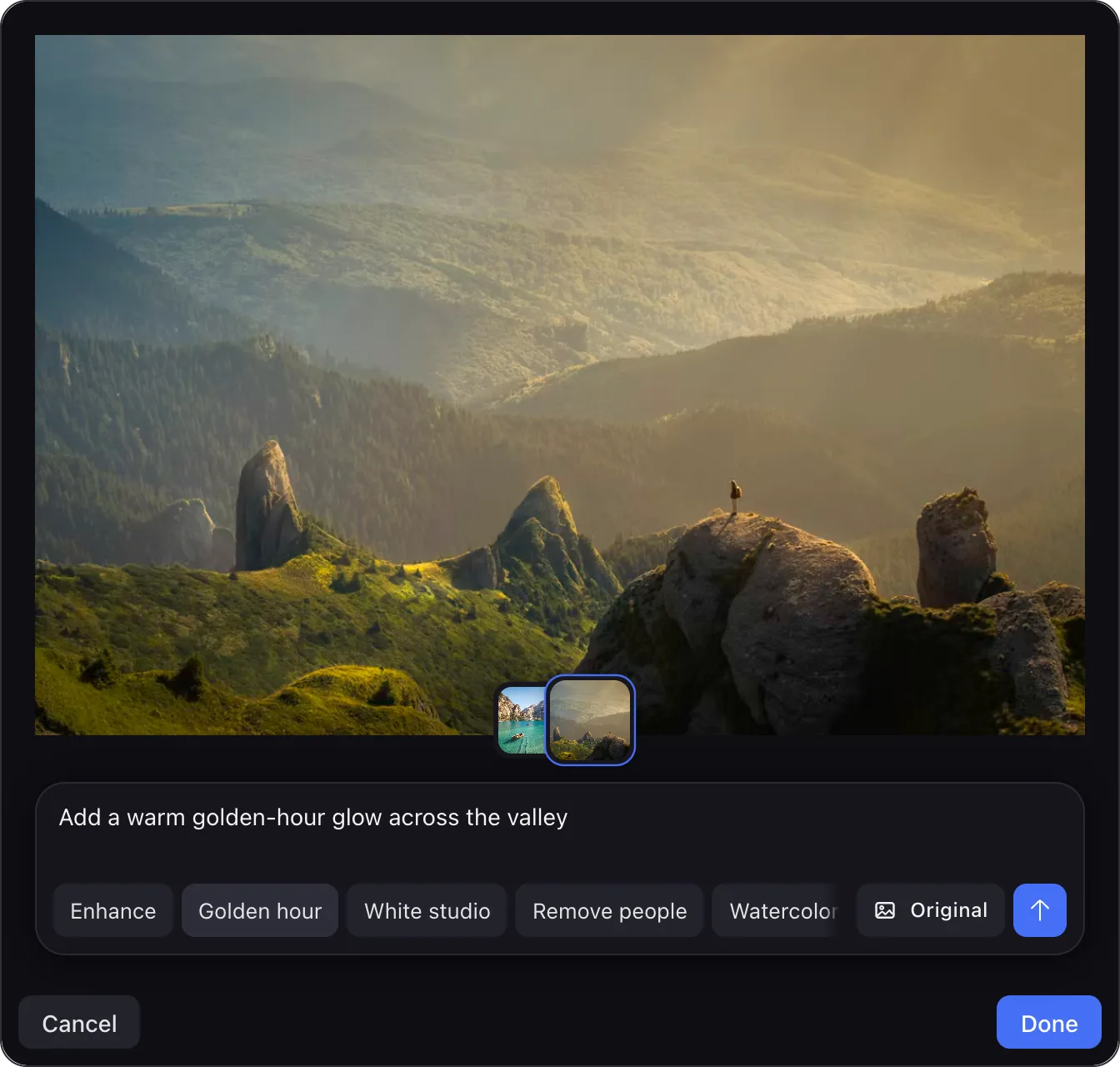
AI Image Editor puts AI image generation and editing inside your product. Your users describe what they want (“make the background white”, “remove people”) and get a polished image back in seconds, without leaving your app for a third-party AI tool. Every result lands in your Uploadcare project as a production-ready file, already on the CDN.
Why teams add it
There are no model vendors to evaluate, no GPU infrastructure, and no upload pipeline to build. It’s a drop-in editor backed by Uploadcare’s platform, so shipping the feature takes an afternoon rather than a quarter.
Users stay in your product. Instead of exporting an image, fixing it in an external AI tool, and re-uploading it, they generate and edit in place. That cuts steps out of the flow, and drop-offs with them.
Results aren’t files someone still has to handle. They’re committed to your Uploadcare project like any other upload and served from the CDN, with metadata, on-the-fly transformations, and signed URLs available immediately.
Theming covers every surface of the editor, so it can match your product. And it speaks your users’ language: 35 locales ship built in, with every string overridable.
Content moderation runs inside the generation pipeline, and blocked prompts surface as localized messages rather than raw failures.
What your users can do
- Generate images from a prompt (marketing visuals, product mockups, illustrations), with aspect-ratio control for wherever the image will live.
- Fix real photos with plain words: enhance a product shot, relight it, clean up the background, remove bystanders. There are no sliders to learn.
- Pick a one-click preset. Offer curated actions like “Enhance”, “White studio”, or “Watercolor” and users get good results without writing prompts at all. In presets-only mode the prompt box disappears entirely.
- Iterate safely. Every attempt stays in the session history, one click away, and edits can be chained until the image is right.
Where it fits
On e-commerce sites and marketplaces, sellers turn phone snapshots into clean, studio-style product photos at upload time. In user-generated content, avatars, covers, and listings get a polish step that raises the quality of what your users publish. In a CMS or a marketing platform, editors generate on-brand visuals right in the content flow instead of round-tripping through a design tool.
Two ways to add it
Inside the File Uploader. If you already use the File Uploader, the AI Image Editor plugin adds a Generate image upload source and an AI Edit action on uploaded images. That’s one config change, with no new UI to build.
Standalone editor. Drop the <uc-ai-image-editor> component anywhere in your
app, in any framework or none, and shape it to your flow with
layout options, theming,
and localization.
For your developers
The integration really is small: install, render, listen.
All it needs is an Uploadcare public key from the dashboard; see API keys. AI Image Editor is in public beta, available on every paid plan.
- Quickstart: install, first render, first result
- File Uploader plugin: AI Edit and Generate image in the uploader
- React: the typed, SSR-safe wrapper (works from Next.js Server Components)
- Options · UI and layout · Theming · Localization · Error handling
- API reference: every property, event, type, and CSS custom property