AVIF vs JPEG XL vs JPEG: Which image format is best for you?
Last edited:
Arthur KhayrullinThis article aims to clear the fog around newcomer image standards like AVIF and JPEG XL versus the traditional format, JPEG, and guide you in choosing the appropriate format for your use case.
What are AVIF, JPEG XL, and JPEG?
What is JPEG?
JPEG was developed in 1992 to provide efficient photo compression. It paved the way for lossy compression methods that take advantage of human vision imperfections. It has vast historic adoption among different media — from browsers and apps to consumer printers. You can read a number of articles about JPEG here on the Uploadcare blog. For instance, check out our guide on how to optimize JPEG images.
What is AVIF (AV1 Image File Format)?
AVIF is a fairly new format derived from the video codec AV1 that dates back to 2019. AVIF aims at delivering high-quality images, offering better compression than legacy image formats.
The format has been gaining traction and adoption. There are apps to view AVIF images, as well as native support in newer operating systems. But what’s more important is support on the Web — all recent browser versions support AVIF, which makes it a good candidate to replace JPEG.
What is JPEG XL?
JPEG XL, JPEG’s successor, was standardized in 2022. Initially, the format was on par with AVIF, outperforming the latter in different areas. Google removed it from Chromium in 2023, then began reintroducing it in Chrome 145 in early 2026, behind an experimental flag and powered by a new memory-safe Rust decoder (jxl-rs). For now, it stays off by default, so the format is still used mostly in offline settings and has a strong supporting community.
AVIF vs JPEG: Is AVIF always better?
AVIF vs. JPEG is a classic “old vs. new” scenario, but with AVIF winning most of the time. Let’s dive in.
Compression efficiency and file size
AVIF has a better size-to-quality ratio. Under the hood, the algorithm splits an image into blocks from 4×4 to 64×64 pixels, looks for colors and patterns, and tries to predict the contents of nearby blocks.
Unlike JPEG, which works only with original data, AVIF saves the difference between predicted and actual values, providing a better compression rate.
Here’s the table comparing JPG and AVIF versions of 10 images:
| No | Original image size | Uploadcare q=normal JPEG | Uploadcare q=normal AVIF |
|---|---|---|---|
| 1 | 993 KB | 137 KB | 107 KB |
| 2 | 473 KB | 46 KB | 22 KB |
| 3 | 1.01 MB | 72 KB | 37 KB |
| 4 | 880 KB | 108 KB | 69 KB |
| 5 | 1.03 MB | 117 KB | 77 KB |
| 6 | 877 KB | 91 KB | 63 KB |
| 7 | 674 KB | 83 KB | 54 KB |
| 8 | 775 KB | 80 KB | 54 KB |
| 9 | 859 KB | 111 KB | 70 KB |
| 10 | 1.02 MB | 110 KB | 86 KB |








Image quality and artifacts
Images compressed with AVIF contain fewer artifacts than JPEG. Take a look at this example of a vector SVG file converted into both JPEG (on the left) and AVIF (on the right). The resolutions are the same.
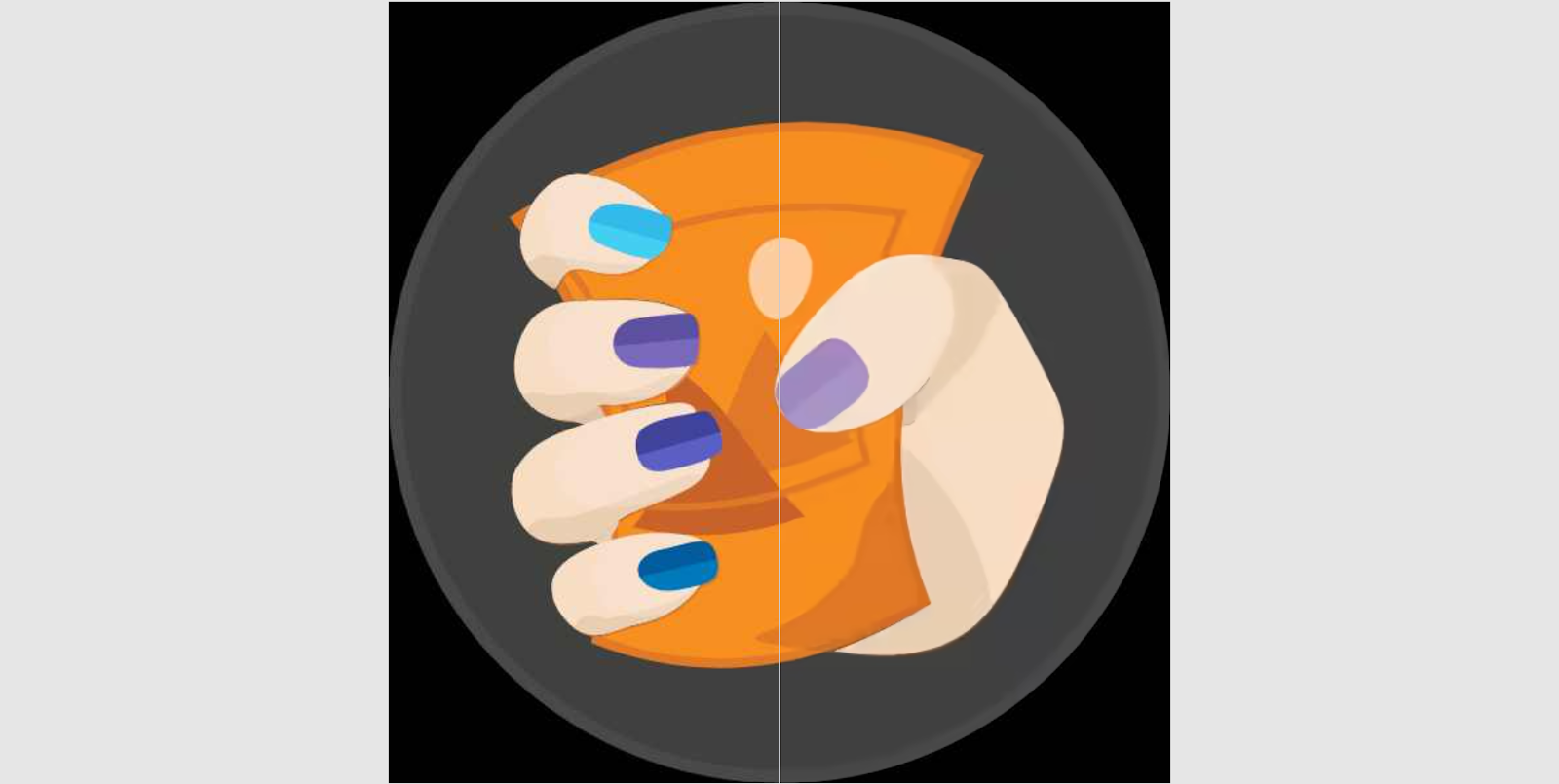 JPEG vs AVIF compared with DiffChecker
JPEG usually struggles with sharp edges and high contrast, and you can see that in the screenshot. The AVIF on the right looks much smoother. Here, the JPEG file is 15.5 KB, and AVIF is 5.5 KB.
Transparency and alpha channel support
Unlike JPEG, AVIF supports transparency, which makes it suitable for graphics and logos.
Browser and software support
As of 2026, AVIF is supported by all major browsers in their recent versions, covering about 93% of users globally. Windows supports AVIF with a free extension installed from the Microsoft Store, and macOS 13 and up offers native AVIF support. For mobile devices, native AVIF support starts from iOS 16 and Android 12. Also, it is always an option to open an AVIF file in a browser.
When to choose AVIF over JPEG
The AVIF vs JPEG debate is often discussed when talking about websites.
Usually, most website visitors use modern browsers, so it is safe to switch to AVIF.
You should still check your website analytics for a visitor browser breakdown to be sure.
Also, keep in mind to introduce fallbacks using <picture> HTML elements.
Use JPEG for emails and legacy web-based systems.
There’s a caveat, though — the filesize reduction numbers you may see online are usually averaged out. So before going all in, test image conversion with apps like ImageOptim and Squoosh — this helps you make an educated decision based on your particular setting.
In situations where using AVIF doesn’t make a major difference, consider using Progressive JPEG — the image appears as a whole in low-res and gets more details as it loads.
AVIF vs JPEG XL: A technical showdown
AVIF and JPEG XL are the two main candidates to replace JPEG in non-browser use cases.
Compression and file size
For the same perceptual visual compression level, JPEG XL may outperform AVIF by up to 25%. This is especially true for photographic images compressed for high quality.
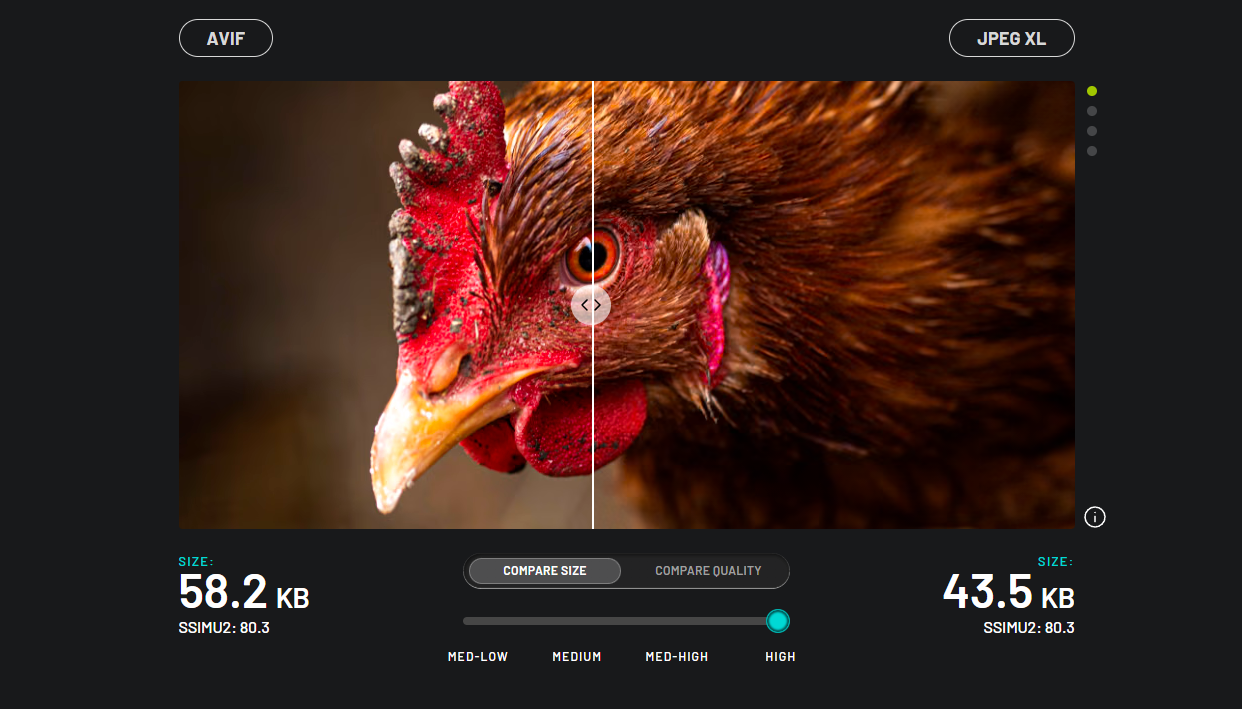 AVIF compared to JPEG XL with the same similarity index. Source: jpegxl.info
When compressing for a low-quality target, AVIF surges ahead — it tends to make images blurry near the edges, obscuring compression artifacts. The screenshot below compares two formats in a low-quality setting — the clouds and stars look better in the AVIF image despite having a lower SSIMU2 score. AVIF is likely the best candidate for heavily compressed logos and diagrams.
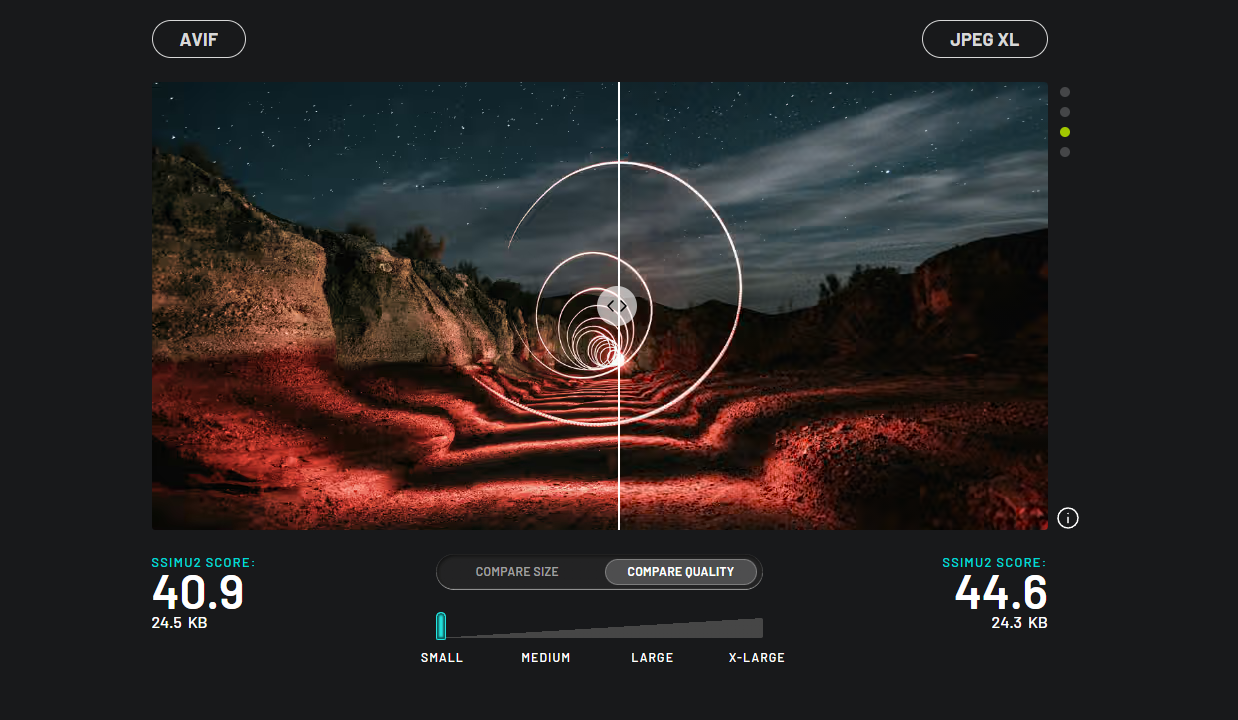 AVIF compared to JPEG XL compressed for the smallest size. Source: jpegxl.info
Perceptual quality metrics such as SSIMU2 are not “one-size-fits-all”. For niche-specific applications, you may want to analyze compression results based on your own dataset of images.
Lossless vs lossy compression options
Both formats support lossless compression, with JPEG XL running a bit ahead due to its heritage — JXL supports lossless-transcoding for JPEG without re-encoding. In other words, it “wraps” a regular JPG file, compressing it in a more modern way by 16-22%. Based on this experiment, JPEG XL outperforms AVIF by a significant amount.
For lossy compression, refer to the screenshots above.
Color depth, HDR, and bit depth
JPEG XL supports 32 bits per channel versus AVIF’s 12 bits, making the former a better choice for industries that heavily rely on smooth color gradients. For comparison, a standard JPEG offers 8 bits per channel. Both encoding formats support HDR and wide gamut.
Encoding and decoding Speed
Based on the comparisons performed by Google, AVIF outperforms JPEG XL when it comes to decoding speed in Chrome with JPEG XL enabled. As for encoding speed, one experiment found the JPEG XL encoding process may be up to 3 times faster than AVIF, with visually matching quality settings.
In regards to rendering JPEG XL supports progressive loading: image appears as a whole getting more details as it loads. AVIF doesn’t support progressive loading.
Browser and platform support in 2026
As mentioned, AVIF is a clear winner here — supported by all mainstream browsers. In 2026, JPEG XL still is not a viable default for the Web. Chrome 145 re-added it behind an experimental flag in early 2026, but it stays off by default in Chrome and Firefox. Its global support on caniuse sits at about 14%, driven mainly by Safari 17 and later.
Real-world performance tests
Although extensive real-world testing goes beyond the scope of this article, there’s still a useful takeaway: AVIF compression is more efficient for low and medium-quality images, while JPEG XL compression performs better for high-quality and lossless.
Use cases: Which format is best for what?
In a nutshell, AVIF is the go-to recommendation for everything web-related, while JPEG XL would shine in an industrial and color-centric setting.
Web performance and Core Web Vitals
Core Web Vitals (LCP, CLS, INP) are the quantifiable metrics by Google that reflect the quality of a site’s UX. Improving these metrics in a meaningful manner increases the chances that a visitor would engage with a site for longer.
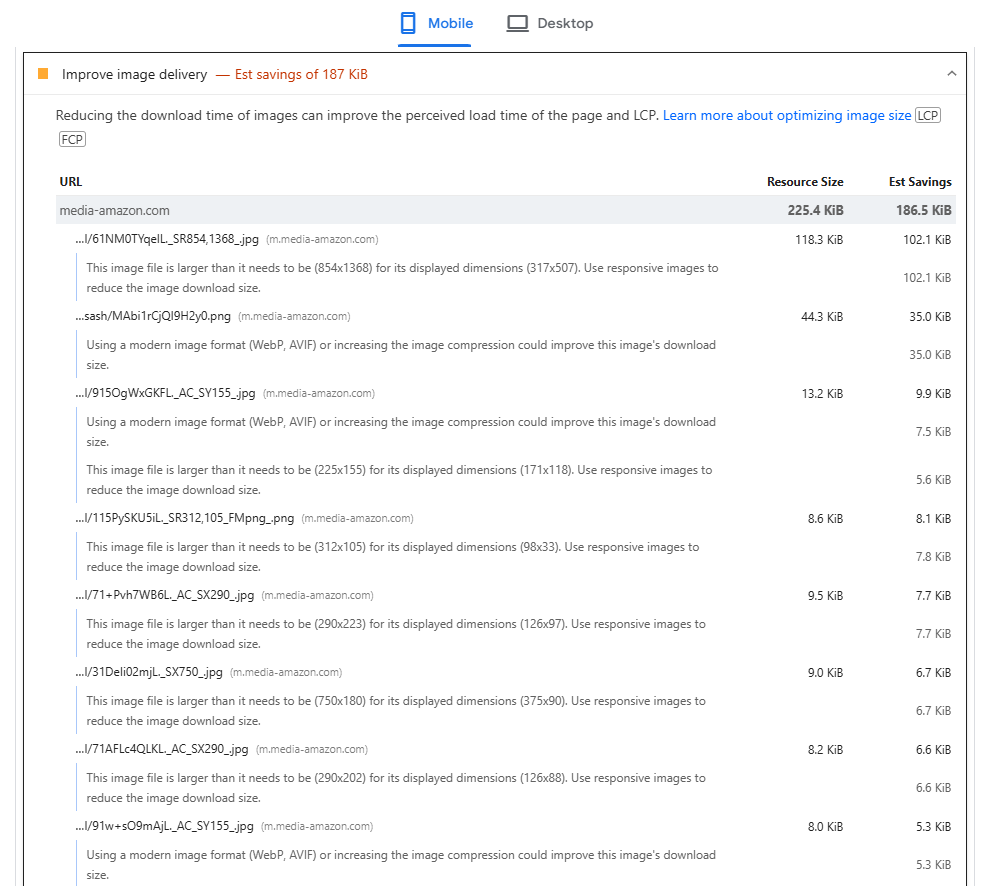 PageSpeed Insights report for image delivery
By effectively utilizing AVIF to replace heavy pictures on a website, you can conserve bandwidth and make all the necessary elements of a page load faster, improving the Largest Contentful Paint and Interaction to Next Paint metrics.
E-commerce and product photography
Images make up a vast portion of e-commerce store pages, so using AVIFs instead of JPGs improves loading time, but it’s worth verifying on a case by case basis.
Also, utilizing HDR preserves the fine details of product photos better and without JPG-like artifacts, which is especially true for fabrics and textures.
You can expect even more savings when using AVIF images in the 360-degree product view feature.
Digital art and transparency
Due to good compression rates without color banding and with transparency support and animation capabilities, both AVIF and JPEG XL are good candidates for handling digital art and design. Also, HDR support comes in handy for preserving vibrant colors.
Additionally:
-
JPEG XL can store splines and dots that are not “baked” into the original image, but stored as a separate layer. These do not undergo JPEG DCT transforms and don’t get distorted when compressing.
-
Both formats can store noise separately. With regular JPEG, noise (even artistic) is hard to compress. JPEG XL can preserve photon-like noise similar to digital cameras, and AVIF adds film-grain-like noise — inherently a feature of the AV1 codec that drives AVIF.
If the still-image art project you work with is meant for both web and offline, use AVIF for webpage embedding and JXL as downloadables.
For short looping videos or cinemagraphs, AVIF performs better — in a nutshell, it is a video codec with features like motion estimation repurposed for images.
Archival and lossless requirements
Archival requires lossless compression, since archived files often serve the purpose of master copies. Choosing between JPEG XL and AVIF, JPEG XL would be a better option here due to its superior lossless capabilities.
If the initial images are in JPEG, transcoding them with JPEG XL would provide ~20% size reduction without re-encoding the image data itself.
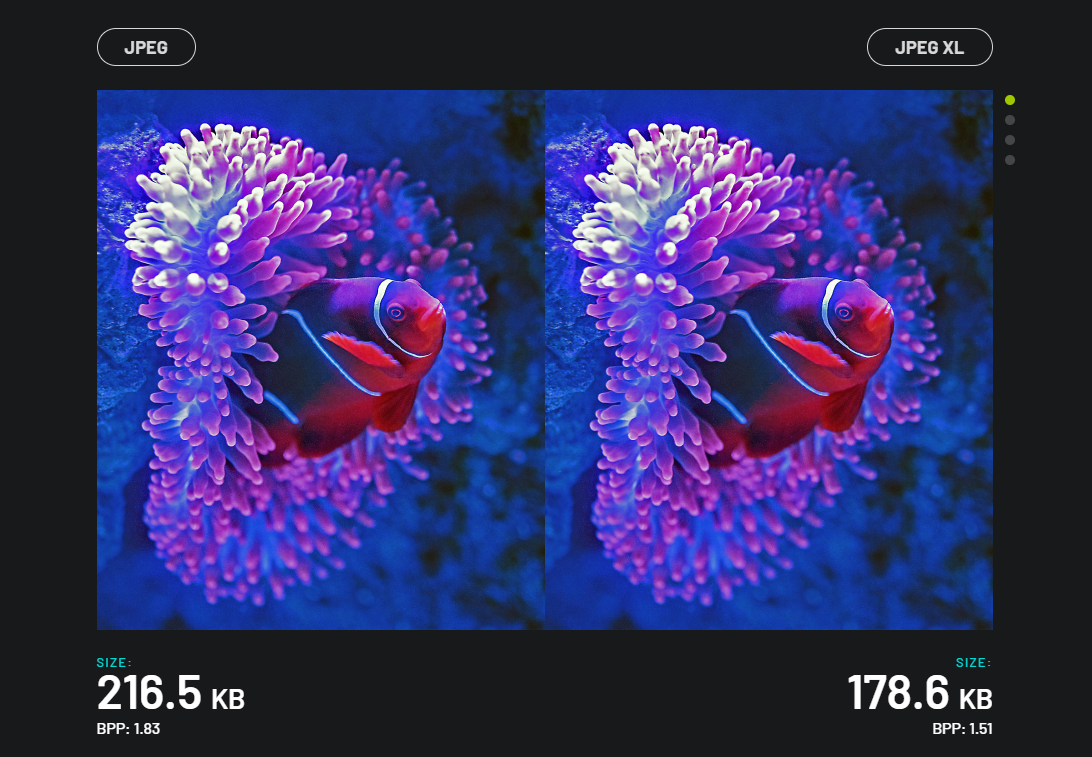 JPEG XL lossless transcoding. Source: jpegxl.info
Print media and photography
Printing requires CMYK support, high bit depth, and precision — JXL supports 32-bit depth and CMYK. AVIF doesn’t offer CMYK support, which makes it incompatible with the professional printing industry. JPEG XL also supports layers and up to 4099 channels for storing info like selection masks and spot colors.
How to convert JPEG to AVIF or JPEG XL
While saving a file directly to AVIF or JPEG XL is the best option, sometimes the good old JPEG is the only thing we have. Here’s how to convert a JPEG image into the new formats:
Online converters and tools
Online apps like CloudConvert and Squoosh can help you convert your existing images to both AVIF and JPEG XL. Sqoosh even offers a basic editor available after image upload so you can tweak compression parameters, rotate the image, and preview the result.
You can also leverage Uploadcare’s Image CDN to serve AVIF files across devices and platforms.
Using
AVIF conversion can be done in FFmpeg — one of the most popular CLI tools for video conversion. Conversion to AVIF using FFmpeg requires the aom library to be installed and included in the FFmpeg build. Parameters may vary, but here’s the gist of how to perform a basic conversion to AVIF:
ffmpeg -i image.png -c:v libaom-av1 -still-picture 1 image.avifFFmpeg can also convert to JPEG XL, given that libjxl is pre-installed as well:
ffmpeg -i image.png -c:v libjxl image.jxlPlugin and CMS integration
In version 6.5, WordPress introduced native AVIF support. You can configure WordPress to automatically convert uploaded JPG images into AVIF.
Shopify also introduced AVIF support. The system automatically detects the user’s device capabilities and delivers AVIF images when needed.
AVIF vs JPEG XL vs JPEG: Which one should you use?
| Parameter | JPEG | AVIF | JPEG XL |
|---|---|---|---|
| Lossless support | No | Yes | Yes |
| Transparency | No | Yes | Yes |
| Color depth | 8-bit | 12-bit | 32-bit |
| HDR/Gamut | No/sRGB | Yes/Rec.2020 | Yes/Rec.2020 |
| Animation | No | Yes | Yes |
| Browser support | 100% | 93%, all mainstream browsers | ~14%, not web-ready by default |
| Best for | Legacy | Web/E-commerce | Archival and professional usage |
Our recommendation by use case
-
Web/Mobile: AVIF is a priority, use JPEG as a fallback
-
E-Commerce: AVIF for product pages, JXL as “digital negatives” on the back-end
-
Archival/Photography: JPEG XL for lossless storage
-
Printing: JPEG XL for preserving color depth, AVIF for previews.
FAQs
Is AVIF better than JPEG?
Yes, AVIF is better than JPEG because of compression rates, quality, and features (like transparency and HDR).
Is JPEG XL better than AVIF?
Yes, use JPEG XL in a professional setting, for archival images, and printing. Use AVIF on the Web.
What is the best image format for websites?
AVIF is considered to be the best format for websites in 2026. Use the <picture> HTML tag to create JPEG fallbacks.
Can browsers display JPEG XL?
JPEG XL still is not recommended for general web use as of 2026. Chrome 145 re-added JPEG XL behind an experimental flag in early 2026 using a memory-safe Rust decoder, but it is off by default, and Firefox also keeps it behind a flag. Only Safari 17 and later support it natively, so global support is about 14%.
Is AVIF supported by WordPress?
Yes, starting from version 6.5. If you don’t want to update, consider using plugins from the WordPress plugin repository.