Best JavaScript file upload libraries in 2026
Arthur KhayrullinJavaScript offers no shortage of file upload libraries, and the “best” one depends entirely on your requirements. This article compares four JavaScript upload libraries (Uploadcare, Uppy, FilePond, and Dropzone.js) across five criteria: size and modularity, resumable or chunked uploads, client-side image optimization, backend integration, and server-side processing. All four support chunked and resumable uploads, so the choice comes down to the other criteria, mainly how much backend and image infrastructure you want to own.
If you’re short on time, here’s our verdict: Uploadcare is the only fully managed option, handling storage, delivery, and URL-based server-side transformations, while the other three leave you to host endpoints and storage and keep image processing on the client. Uppy and FilePond are the modular picks, letting you build only what you need through plugins, and Dropzone.js is a lightweight, zero-dependency drop-in for straightforward uploads.
The rest of this guide breaks down how each library performs against these five criteria so you can match the right tool to your project.
If you’re working in a different stack, check out our other guides: Best file upload libraries for React developers and Best file upload libraries for PHP developers.
What to look for in a JavaScript file upload library
Requirements in large projects are different from those in small ones. To make it possible to compare libraries regardless of project size, we use these five criteria:
-
Size and modularity. The lighter the library, the faster it will be downloaded and parsed by the end users. The modularity allows you to serve only the used parts, which makes the downloading even faster.
-
Resumable and chunked uploads. Large file uploads over unstable connections require resumable uploads. To make it work, file uploading libraries usually split files into chunks. If uploading fails, it continues from the last successful chunk instead of full restart.
-
Client-side optimization. If a user uploads an image, the library may provide pre-upload optimization and processing. It will allow the user to upload the image faster, while your server will handle less network traffic.
-
Integration. This is about how seamlessly the tool fits into your existing stack and how easily it allows you to replace core components, such as storage providers, image processing engines, or upload mechanisms, without changing your application logic.
-
Server-side processing. Certain solutions, particularly image CDNs, provide built-in server-side capabilities for tasks such as image transformation, optimization, and applying visual effects.
Comparison overview
This table offers a high-level comparison of each library based on the evaluation criteria described above. Use it as a quick reference to narrow down the best options for your specific stack. Looking for a more in-depth breakdown? Simply scroll down to explore the detailed reviews.
| Library | Key strength | Resumable/Chunked uploads | Client-side optimization | Backend/Integration | Server-side processing |
|---|---|---|---|---|---|
| Uploadcare | Fully managed platform (storage + CDN + processing) | Yes (up to 5 TB) | Built-in GUI editor and image shrink | Handled by platform (S3 optional) | URL-based CDN transformations |
| FilePond | UX-focused UI with plugins | Yes | Plugins (crop, resize, filter) | You build it (Laravel wrappers available) | No (client-side only) |
| Uppy | Highly modular (40+ plugins) | Yes | Plugins (editor, compressor) | You build it (companion for cloud) | No (integrates with Transloadit) |
| Dropzone.js | Simple drop-in solution | Yes | Basic resize quality change | You build it | No |
Uploadcare JavaScript File Uploader
@uploadcare/file-uploader is a framework-agnostic widget built on Web Components. It supports multiple upload sources, including local storage, camera, Dropbox, and Google Drive.
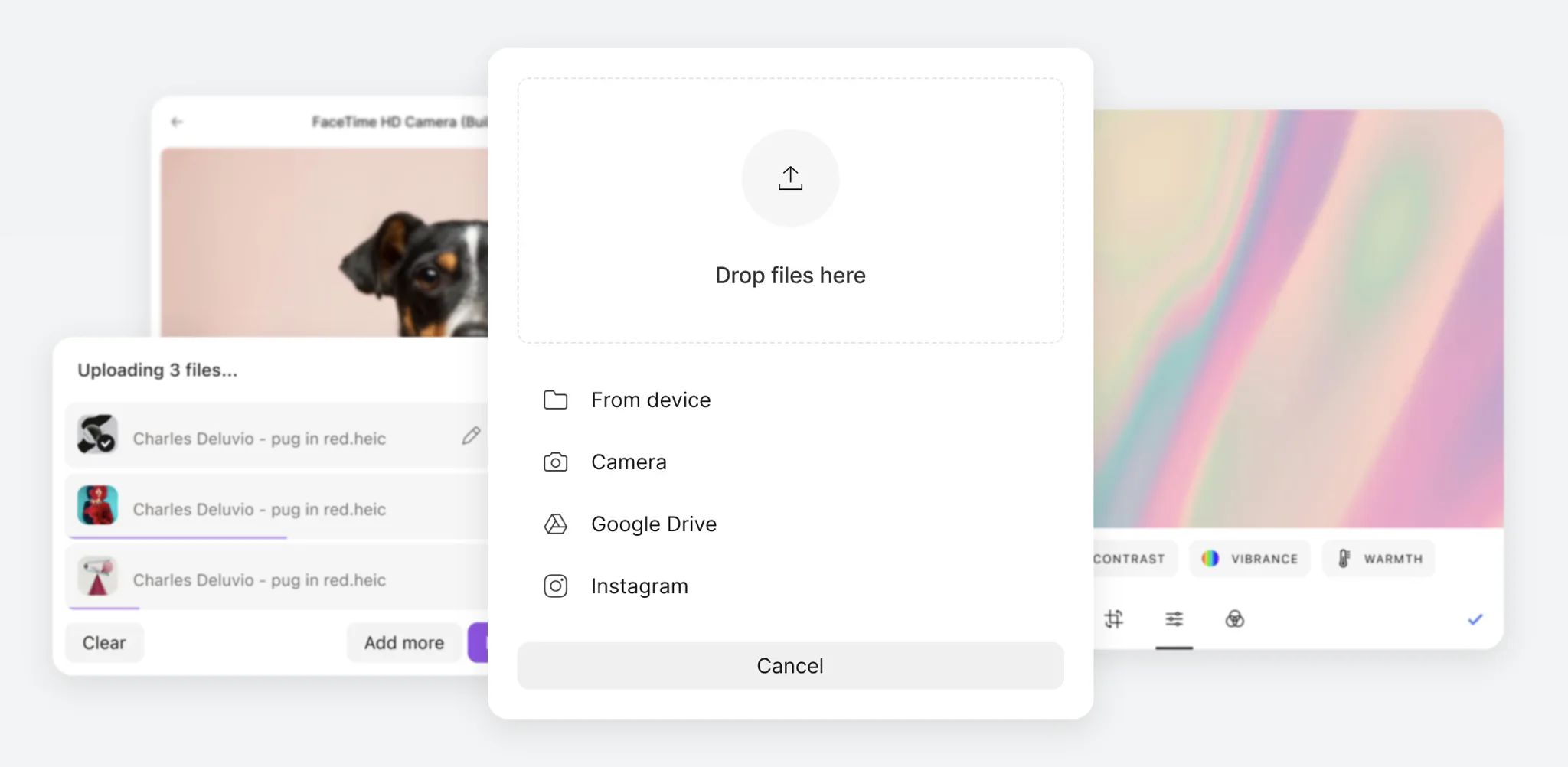 Uploadcare File Uploader interface
The library splits large files into chunks under the hood and handles parallel uploads. An embedded GUI editor makes cropping and image editing straightforward. It requires minimal setup: drop in the component, include the styles, and pass your public key.
Evaluation
-
Size and modularity. The library provides file uploaders for three most popular cases: inline, a button, and a full widget. But if you want to, you can build your own widget using Web Components and blocks from the library.
-
Resumable and chunked uploads. Fully supported. Large files are automatically divided into chunks and uploaded in parallel to improve transfer speed. The multipart upload threshold is configurable between 10 MB (default) and 100 MB. Uploadcare supports uploads of up to 5 TB.
-
Client-side optimization. Images can be compressed before upload, while the built-in interface also lets users rotate, crop, and apply other image transformations.
-
Integration. Since Uploadcare is a fully managed platform, it takes care of storage and content delivery out of the box. As a result, extensive adapter support isn’t necessary, with S3 being the primary external storage integration.
-
Server-side processing. Fully supported. Uploadcare includes a URL-based image processing engine that performs operations such as resizing, cropping, and applying filters on the fly, with CDN caching to ensure fast delivery.
Dropzone.js
Dropzone.js is a zero-dependency library for file upload UI without complex architecture.
Adding a .dropzone class to an HTML <form> tag turns it into an interactive upload element.
Despite its minimal approach, the library supports features such as previews and progress bars, and you can extend it using callbacks.
Evaluation
-
Size and modularity. The library is 13 KB gzipped and has zero dependencies. It is not modular by design; all functionality is bundled into a single file.
-
Resumable and chunked uploads. Supported. Starting with version 5.5.0, the library allows for file chunking and tweaking the chunk size. If the connection drops, uploading can be resumed. Chunking only works for single file uploads.
-
Client-side optimization. The library lets you optimize and compress images before uploading. You can crop it, change its dimensions, and tune quality. The library does not include a built-in UI for image editing.
-
Integration. Dropzone.js offers no back-end integration out-of-the-box per se, but the package is compatible with any back-end through
multipart/form-data. You can also configure the library for direct uploading to Amazon S3 using presigned URLs, or integrate via AJAX. -
Server-side processing. No direct support for server-side image transformations. Only client-side processing is supported.
FilePond
FilePond is a JavaScript file upload library that is not tied to any framework. Its main features include a modular architecture with a thin-core approach and a fluid UI. The core contains only basic uploading functionality. Everything else: previews, cropping, resizing, etc., is enabled through official plugins. You decide what to include in your application, so the bundle stays lightweight.
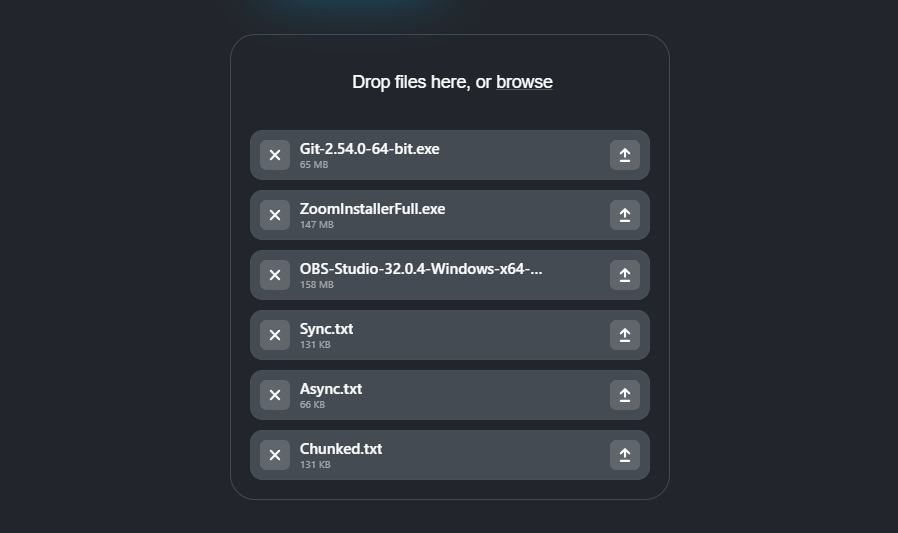 FilePond widget interface
Evaluation
-
Size and modularity. Highly modular approach. The core is 21 KB gzipped. Plug-ins are connected separately.
-
Resumable and chunked uploads. Files are split into parts with built-in progress tracking. The library includes a retry mechanism, but your backend must provide the corresponding API endpoints.
-
Client-side optimization. FilePond has plug-ins to handle basic image processing before sending it to the server. For more advanced capabilities such as drawing, text overlays, and deep retouching, you can use the official integration with the professional editor Pintura.
-
Integration. It is a client-based tool, so you need to create your own back-end to handle endpoints like
process,revert,fetch. There are also ready-made packages for Laravel and Symphony that handle all the logic. -
Server-side processing. Transformations run only on the client. If you need additional processing such as watermarks or server-side conversion, you need to implement it yourself.
Uppy
Uppy is a modular constructor-like JavaScript library: you choose required plugins from more than 40 packages. It is also not opinionated about its UI. It gives you three ways to build your interface:
-
Pre‑composed, plug‑and‑play components (mainly Dashboard and DragDrop). They’re quick to integrate, but UI customization is limited.
-
Headless components: smaller building blocks that are easier to style or combine with your own components.
-
Hooks: attach Uppy’s logic directly to your own components to create a completely tailor‑made UI.
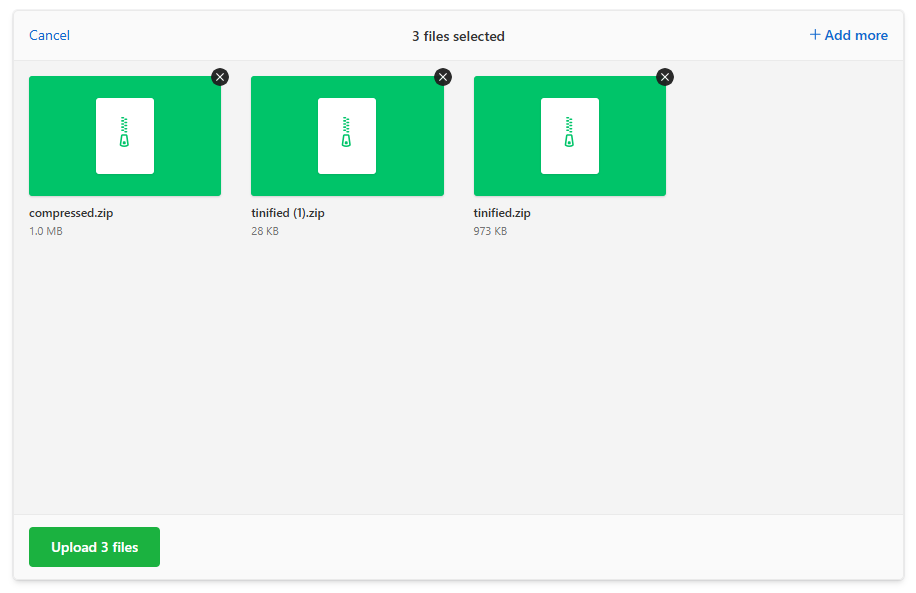 Uppy interface
Many features are handled through plugins. For example, there is a plugin that lets users import files from their Google Drive account. This is where the tool moves into server-side territory: it requires a Companion instance to manage cloud uploads. However, it does not provide server-side image transformation. You can integrate it with Transloadit for processing.
Evaluation
-
Size and modularity. Highly modular. Multiple npm packages as plugins help you build the exact configuration you need.
-
Resumable and chunked uploads. Full support. Implemented through the plugin that implements tus protocol: it splits files into chunks, tracks upload progress and sends HEAD-requests to continue uploading after the connection is restored. There is also a plugin that can even save files in the browser cache and restore the session after the tab has been closed.
-
Client-side optimization. Supported through plugins. For example, you can generate previews, crop, rotate, and change the compression settings.
-
Integration. For standard uploads, Uppy works with any backend. For cloud sources, you’ll need Companion: a lightweight server-side service that handles authentication and proxies files directly to your application, without saving them to disk.
-
Server-side processing. Not part of the core. You can integrate it with Transloadit to enable server-side file processing.
Closing thoughts
If you need a fully managed platform with storage, CDN delivery, image processing, and minimal backend work, Uploadcare offers the solution. If flexibility is your top priority, pick Uppy. It provides an extensive plugin ecosystem which should solve your problem if you have time to invest into it. If you need a polished UX, pick FilePond. Dropzone.js remains a solid choice when you prefer a lightweight, straightforward upload interface without unnecessary complexity.
Before making a decision, consider not only your current requirements but also how your application may evolve. Features such as resumable uploads, cloud storage integrations, and server-side image processing can become difficult to implement later into the mature project. Choosing a library that aligns with your long-term architecture will save both development time and maintenance effort as your project grows.
Frequently asked questions about JavaScript file upload libraries
How do I handle large file uploads in JavaScript?
Use a library that supports chunked and resumable uploads. Uploadcare File Uploader splits files into chunks automatically (up to 5 TB). Uppy uses the tus protocol for resumable transfers. FilePond and Dropzone.js offer chunking too. All four resume from the point of interruption if the connection drops.
Do I need a backend to upload files in JavaScript?
With most libraries, yes — you host the endpoints that receive files, plus storage and delivery infrastructure. Uploadcare removes that requirement: it receives, stores, and serves your files as a managed platform, so you can add uploads without building or maintaining an upload backend.
How do I compress or resize images before uploading?
Client-side optimization shrinks images in the browser before upload, cutting transfer time and bandwidth. Uploadcare includes a built-in editor for cropping, rotating, and compressing, so you don’t need a separate image library to get it working. FilePond and Uppy provide plugins for image transformations and file compression.