Best React file upload libraries in 2026
Arthur KhayrullinThe best file upload libraries for React in 2026 depend on your requirements and how simple the overall solution should be.
Below, we compare five libraries across five criteria — size, resumable uploads, client-size optimization, integration, and server-side processing — so you can pick the right tool for your project.
If you're working in a different stack, check out our other guides: Best file upload libraries for JavaScript developers and Best file upload libraries for PHP developers.
What to look for in a React file upload library
Depending on the size of your project, the checklist looks a bit different. However, a few universal guidelines apply to projects of any size:
-
Size and modularity. These factors go hand in hand. Lightweight libraries keep your bundle size under control, while a modular architecture lets you enable only the functionality you need and leave the rest disabled.
-
Resumable and chunked uploads. Large file uploads over unstable connections require resumable uploads. The tool should continue from the point of interruption instead of restarting the transfer from scratch.
-
Client-side optimization. Some image-focused libraries provide pre-upload optimization and processing. You benefit from this feature by reducing server load and network traffic, or by editing an image prior to sending it to the server.
-
Integration. This criterion reflects how well the tool plugs into your stack and lets you swap core components like storage backends, image-processing drivers, upload protocols, or callbacks without rewriting your business logic.
-
Server-side processing. Some solutions, especially Image CDNs, come with server-side integrations that can do image transformations, apply effects, etc.
Comparison at a glance
This table provides a high-level comparison of each library against the criteria outlined above. Use it as a quick decision-making map to pinpoint the top contenders for your specific stack. Want to dig into the more detailed reviews instead? Just keep scrolling.
| Library | Key strength | Resumable/Chunked uploads | Client-side optimization | Backend/Integration | Server-side processing |
|---|---|---|---|---|---|
| Uploadcare | Fully managed platform (storage + CDN + processing) | Yes (up to 5 TB) | Built-in GUI editor and image shrink | Handled by platform (S3 optional) | URL-based CDN transformations |
| react-dropzone | Lightweight UI building block (drag-and-drop only) | No | No | You build it | No |
| FilePond | UX-focused UI with plugins | Yes | Plugins (crop, resize, filter) | You build it (Laravel wrappers available) | No (client-side only) |
| UploadThing | S3 wrapper with type-safe routes | Yes | No | S3 (opinionated) | No (basic callback only) |
| Uppy | Highly modular (40+ plugins) | Yes | Plugins (editor, compressor) | You build it (companion for cloud) | No (integrates with Transloadit) |
Uploadcare React File Uploader
Uploadcare (a fully managed end-to-end cloud file management platform) offers a React File Uploader widget as part of its pipeline. Under the hood, it runs on Web Components, so the React wrapper stays lightweight and avoids additional dependencies. It comes in three variants: regular, minimal, and inline, each suited to different UI requirements.
As of July 2026, the widget supports nine upload sources, including local storage, camera, Dropbox, and Google Drive.
 Uploadcare React File Uploader interface
This component serves as an entry point to Uploadcare’s ecosystem and is designed to work seamlessly within its CDN environment. With this integration, you gain immediate access to a ready-made infrastructure for storage, global delivery, and URL-based image processing. If you’re tired of building a backend for uploads, this option is worth considering first.
Evaluation
-
Size and modularity. By default File Uploader includes all the batteries (e.g., image editor). If you do not need them, you can build a version for yourself by using Web Components and the React adapter.
-
Resumable and chunked uploads. The uploader supports multipart uploads, splitting large files into chunks and sending them in parallel for maximum speed. You can configure the multipart threshold between 10 MB and 100 MB, while the platform supports files up to 5 TB. If the connection drops, the upload resumes from the point of interruption.
-
Client-side optimization. The widget includes a built-in GUI image editor that supports cropping, rotating, and styling prior to file upload. It also provides an
imageShrinkoption for automated image optimization. -
Integration. As a platform, Uploadcare manages files within its own infrastructure. That said, it is possible to use Uploadcare for uploading and file processing while storing your files on Amazon S3, Cloudflare R2, Google Cloud Storage, or Azure Blob Storage.
-
Server-side processing. After upload, you can apply transformations to images and other files using URL parameters. A global CDN caches the results and ensures fast delivery of transformed images.
Dropzone (react-dropzone)
If you need full control over the UI and upload logic, include react-dropzone in your shortlist. It is not a traditional upload library per se, but rather a building block that handles drag-and-drop only. Styling, file uploading, and error handling remain your responsibility. This adds implementation cost, but it also gives you flexibility for projects with custom design and complex business logic.
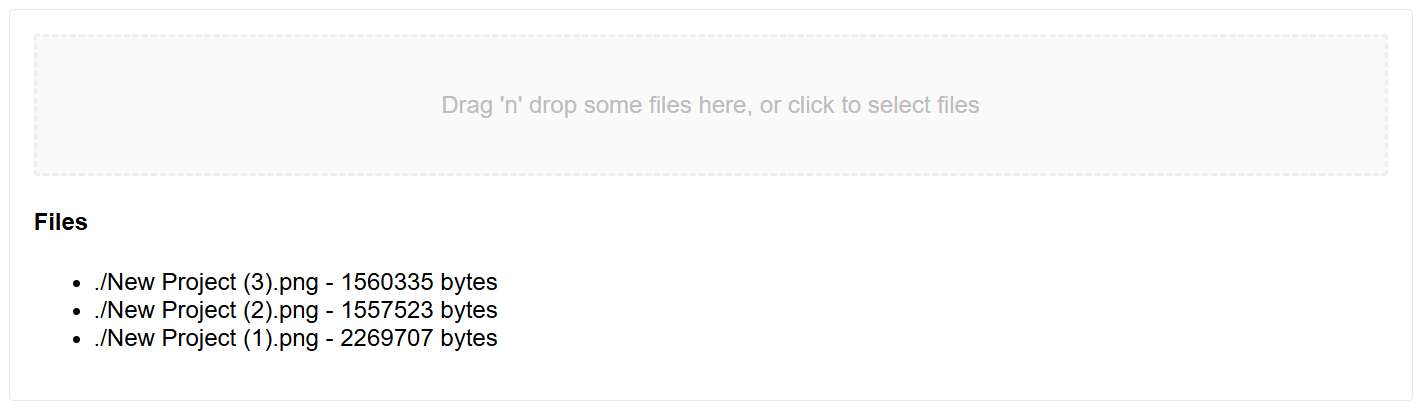 react-dropzone default UI
Evaluation
-
Size and modularity. The library is 15.9 KB minified + gzipped. It doesn’t offer any modules and comes as a monolith package.
-
Resumable and chunked uploads. react-dropzone does not provide chunking out of the box. It only handles drag-and-drop interactions. You need other tools to implement upload logic.
-
Client-side optimization. The library lacks built-in tools for client‑side processing. There’s no GUI image editor or automatic compression. You’ll need to use tools such as HTML5 Canvas or third-party libraries before sending files to the server.
-
Integration. On the frontend, it returns an array of
Fileobjects from theonDropevent, and you handle the rest. -
Server-side processing. No direct support; the library is frontend only. You’ll need to implement any server-side processing yourself or delegate it to an external service.
FilePond (react-filepond)
FilePond is a UX-first upload library. Unlike react-dropzone, which provides a minimal UI, FilePond offers a ready-made interface with animations, progress bars, and previews. You can also customize CSS to match your app design.
The library uses a “thin core” architecture. Most of the library’s functionality is split into separate plugins connected through a global API. This approach keeps the bundle size small without adding unnecessary dependencies.
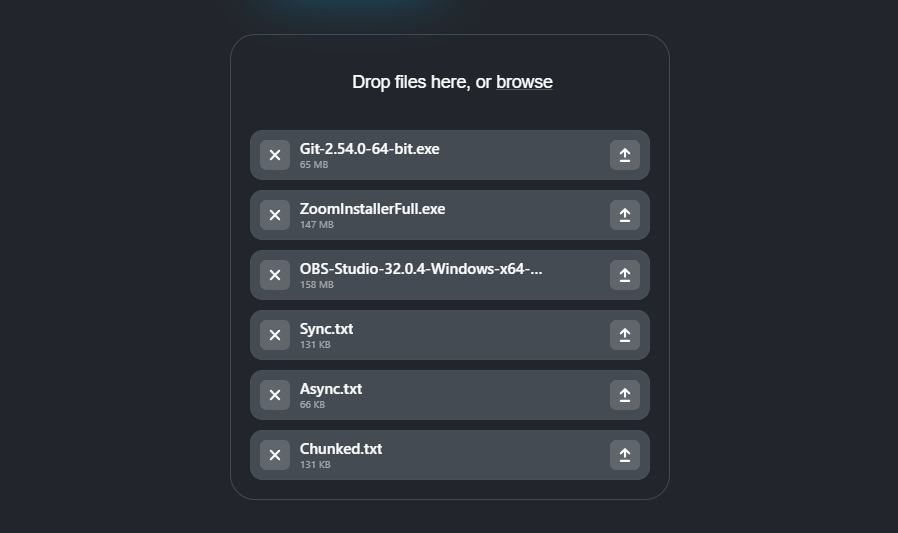 FilePond widget interface
For React developers, there’s an official adapter react-filepond. It acts as a wrapper around native FilePond. You pass all settings and events through props, and the state stays synchronized with the React lifecycle.
Evaluation
-
Size and modularity. The core stays minimal, while additional features come from enabled plugins.
-
Resumable and chunked uploads. Supported via the chunkUploads option. Files are split into parts, with progress tracking enabled. A retry mechanism is available, but it requires corresponding backend API endpoints.
-
Client-side optimization. The plugin ecosystem includes components for transformations like cropping, resizing, applying filters, etc.
-
Integration. FilePond is frontend only, so you need to build a backend to handle uploads. However, if your backend is written in PHP, Laravel and Symfony-compatible wrappers such as laravel-filepond handle server operations, including chunk reception, temporary storage, validation, and cleanup.
-
Server-side processing. Not applicable because the library is frontend only. You handle all processing in the browser.
UploadThing
UploadThing is a file engine especially popular in the Next.js ecosystem. It acts as a wrapper over S3. You host an API endpoint on your server, while UploadThing manages client-side logic through ready-made components.
React integration uses separated components and hooks generated via factory functions to ensure type safety.
Upload rules, such as allowed file types and maximum file size, are defined on the server through a FileRouter.
Evaluation
-
Size and modularity. The @uploadthing/react client package stays lightweight and does not introduce extra dependencies. You choose whether to use prebuilt components or
useUploadThinghook for full control over the UI. -
Resumable and chunked uploads. UploadThing handles chunking, progress tracking, and retry logic automatically. For custom implementations, you can request a presigned URL and pass the byte-offset in the
Rangeheader to track starting byte offsets. -
Client-side optimization. The library provides efficient file hosting but does not offer on-the-fly optimization, such as image resizing or format conversion, out of the box. For optimized delivery, handle compression before uploading or use the Next.js
Imagecomponent on the frontend. You can also use theonUploadCompletecallback, which runs after the file upload finishes. -
Integration. One of UploadThing’s selling points is a wrapper around S3 with caching and callbacks. You cannot easily switch to a different storage provider without breaking the overall approach.
-
Server-side processing.
FileRoutesinclude a basiconUploadCompletecallback. You still need external processing for tasks such as generating previews, adding watermarks, and converting formats.
Uppy
Uppy is another open-source file uploading competitor that sticks to a highly-modular approach, delivered by TransloadIt. The core functionality sits in the @uppy/core module, while the rest is handled through plugins. Even key mechanisms like resumable uploads (via tus) and cloud storage integration are moved to separate modules. This approach adds some technical overhead but lets you assemble the exact configuration your application needs.
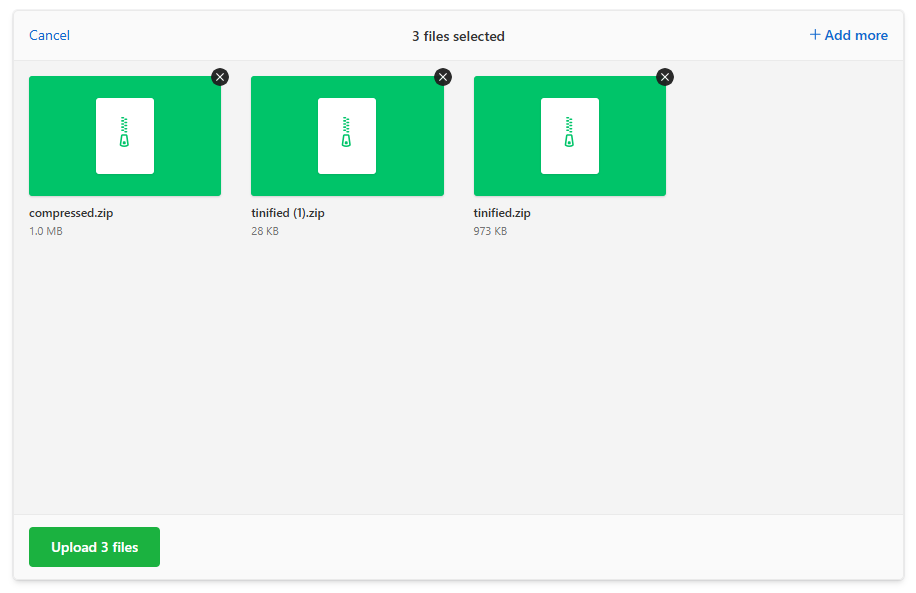 Uppy interface
The library is not heavily opinionated about its UI. Uppy offers three ways to build user interfaces:
-
Pre-composed, plug-and-play components. Mainly Dashboard and DragDrop. The downside is that you can’t customize the UI.
-
Headless components. Smaller components, easier to override the styles or compose them together with your own components.
-
Hooks. Attach Uppy’s logic to your own components to create a tailor-made UI.
For React applications, there’s an official package @uppy/react that acts as a wrapper for UI-components,
as well as useUppy hook to control the uploader instance.
Evaluation
-
Size and modularity. Uppy follows a similar approach to UploadThing, using a lightweight core package with components exposed through import sub-paths. For example, React hooks are available from
@uppy/react, while dashboard functionality lives in@uppy/react/dashboard. -
Resumable and chunked uploads. Implemented via tus, an open-source protocol from the same team. It splits large files into chunks and resumes uploads after connection interruptions. It also has a plugin that caches files in IndexedDB and restores the session even after the browser tab closes.
-
Client-side optimization. Uppy offers 3 plug-ins for image transformations prior to uploading. They allow you to crop and rotate, create previews, and compress files.
-
Integration. You can implement uploading using any backend, but for cloud sources you need an instance of Companion. It is a separate server component that manages auth and relaying files without storing them.
-
Server-side processing. As part of a larger ecosystem, Uppy integrates with Transloadit for cloud file processing. The library itself does not provide full server-side processing, so you either use Transloadit or build a custom solution.
When to use a managed upload platform
Choosing between a custom file upload solution and a managed platform boils down to the question: do you want to handle the file infrastructure yourself, or focus on building your product?
When a project is small and treated as a pet project, a DIY solution often seems like the fastest option. When real traffic arrives, the same challenges appear repeatedly: handling resumable uploads for large files, managing storage, and performing image manipulation at scale. Managed platforms like Uploadcare handle these low-level concerns and provide a ready-to-use API.
-
Big files and unstable connections. For bigger projects, implementing a truly reliable resumable upload system is not a trivial task. Managed platforms provide this out of the box.
-
Server load and scaling. Your Flysystem back-end works well on a single instance, but horizontal scaling introduces new challenges. You need to handle replication and storage synchronization.
-
Global reach. For global projects, CDN-based platforms deliver files faster than a single-location server.
-
On-the-fly processing. When you need to display the same photo in ten different sizes and versions, generating all the previews in advance is wasteful. Specialized platforms create the exact version you need at request time and cache it on a CDN. You control the output through URL parameters.
-
Your engineering crew is small, has no DevOps, or your DevOps team is overwhelmed with other tasks. Platforms help you focus on business logic instead of setting up and maintaining file infrastructure.
Which file upload library should you use?
By now you’ve seen the strengths and trade‑offs of each tool. This section helps you map your specific project needs to the right library.
Do you want to avoid building and maintaining file infrastructure entirely?
Pick a managed platform like Uploadcare. You get a File Uploader widget, a ready-to-use API with multiple SDKs, a global CDN with on-the-fly image processing, and storage handled for you. Ideal for teams that don’t want to build and maintain file infrastructure, or projects that need global scale.
Do you need full control over the front‑end UI and upload logic, and you’re already on React?
-
react‑dropzone if you want a lightweight, unopinionated building block.
-
FilePond if you want a polished UI with animations and plugin‑based features (cropping, previews, compression).
-
Uppy if you need modularity, resumable uploads (tus), and integration with cloud sources (Google Drive, Dropbox) via Companion.
-
UploadThing if you’re deep in Next.js and want type‑safe file routes with automatic chunking.
Closing thoughts
There’s no single “best” file upload library. The right pick depends on how much of the pipeline you want to build yourself versus hand off. react-dropzone, FilePond, Uppy, and UploadThing all give you the frontend piece, but you’re responsible for storage, backend logic, or processing depending on which one you choose. Uploadcare’s File Uploader includes storage, resumable uploads, image processing, and CDN delivery as part of the component, so there’s less to build on your end.
If you want to see what that looks like in practice,
our guide on how to upload files in React walks through building a basic upload flow from scratch with fetch,
then shows how the same task looks with Uploadcare’s File Uploader component dropped in.
It’s a good next step if you want to see what the setup looks like.
Frequently asked questions about React file upload libraries
What is the best file upload library for React in 2026?
It depends on your needs. Uploadcare File Uploader is best if you want a fully managed platform with CDN and image processing built in. react-dropzone works well when you need full UI control. FilePond (react-filepond) suits projects that want a polished UI with plugin-based features. Uppy is ideal for highly modular setups with resumable uploads via tus. UploadThing fits Next.js projects that need type-safe file routes.
What is the difference between a file upload library and a managed upload platform?
A file upload library (like react-dropzone or FilePond) provides frontend components for selecting and sending files; you build and maintain the backend, storage, and CDN yourself. A managed platform (like Uploadcare) handles the full pipeline: upload widgets, storage, global CDN delivery, and on-the-fly image processing via a single integration.
Do I need resumable uploads for my project?
If your users upload files larger than 10 MB or work on unstable connections (mobile, remote areas),
resumable uploads prevent failed transfers from restarting from zero.
For small files on stable connections, standard multipart/form-data uploads are sufficient.
Can I use Uploadcare with my existing S3 storage?
Yes. Uploadcare supports connecting your own AWS S3 bucket as a storage backend. Files uploaded through Uploadcare’s widget or API can be stored directly in your S3 bucket while still benefiting from Uploadcare’s CDN and image processing pipeline.
What is the tus protocol for file uploads?
tus is an open-source protocol for resumable file uploads. It splits files into chunks, tracks upload progress, and resumes from the last successful chunk after interruptions. Uppy uses tus as its primary upload mechanism via the @uppy/tus plugin.